Seedance 2.5

Seedance 2.5 AI Video Generator

Seedance 2.5 is coming soon to VidLux and is not available here yet. Once released, it will support up to 30 seconds of native video in one generation, as many as 50 image, video, and audio references, and local edits to selected moments or areas. In the meantime, start creating with the AI video models already available on VidLux.

Seedance 2.5 Core Features, Explained

Go beyond the spec sheet: see how each capability works and when to use it.

30-Second Continuous Generation

Generate up to 30 seconds of continuous video in a single pass, with transitions and camera movement handled natively — no clip-stitching needed. For longer content, multi-round extension keeps the same visual style and characters across the whole piece.
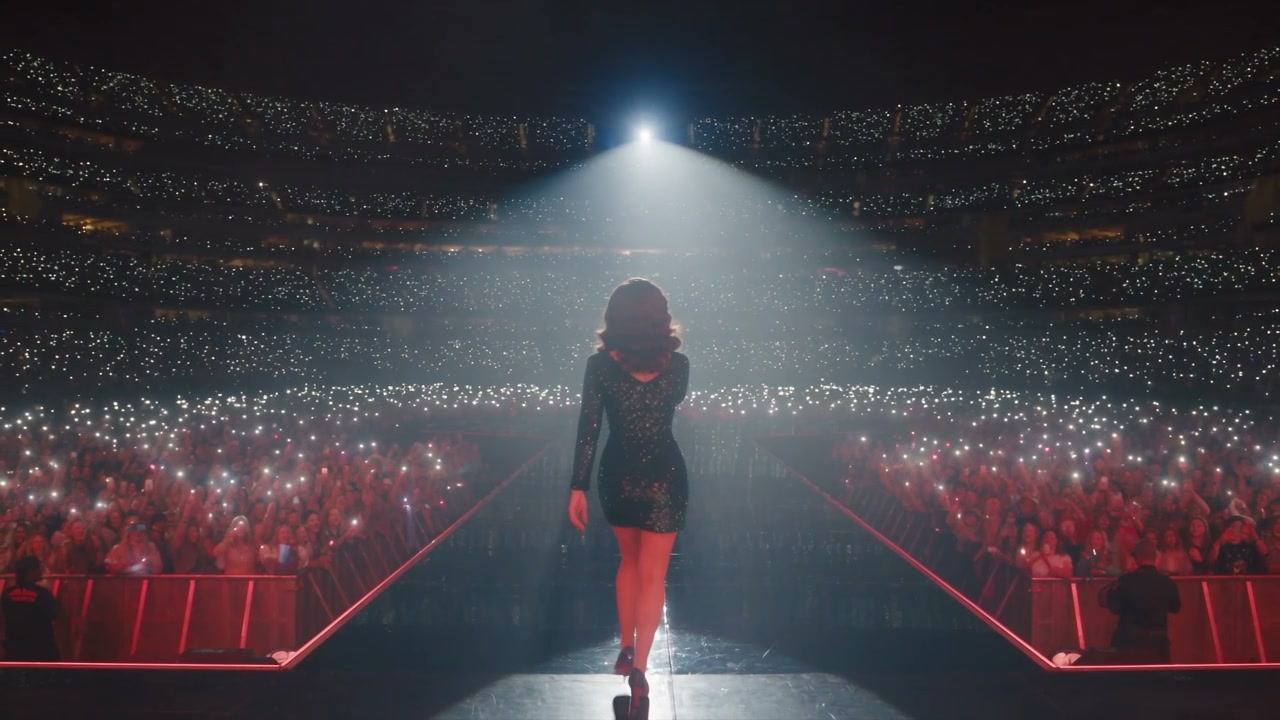
4K High-Resolution Output

4K output preserves fine details in hair, materials, products, and distant scenery. Choose 4K when you plan to crop for vertical formats, enlarge part of a shot, deliver on a large screen, or color-grade the footage in post. Ideal for brand marketing, commercial advertising, and professional content creation.

50 Multimodal References

Use up to 50 multimodal inputs in one workflow, including prompts, images, video, audio, scripts, storyboards, and style references. Assign each input a clear role to guide identity, motion, sound, composition, and visual style.

Timecode-Level Editing

Edit just one time segment of an already-generated clip — e.g. “remove everyone in the background from second 5 to 10, keep only the main character” — without regenerating the whole video.

Green-Screen Reference (R2V)

Use green-screen footage as an R2V motion reference to guide character movement, spatial position, and interactions while the generated scene adopts the requested visual direction.

3D White-Model Reference

Use white-model or 3D blockout references to guide spatial blocking, camera paths, composition, and multi-character movement before committing to a finished visual style.

See How Two Video References Shape One Shot

Use one clip for camera movement and another for character action. Seedance 2.5 combines both directions into a consistent multi-character scene.

Video1
Video2
Prompt

Follow the camera movement from @Video1 and the two-character fight choreography from @Video2. Recreate the action as a cinematic wuxia scene with consistent characters and coordinated movement.

What You Can Create with Seedance 2.5

Seedance 2.5 Technical Specifications

Verified against official Dreamina materials. Beta features and available output options may vary by region or release.

Generation lengthUp to 30 seconds in standard mode; up to 180 seconds in beta long-video mode
Output resolutionUp to 4K
Reference inputsUp to 50 multimodal inputs, including text, images, video, audio, scripts, storyboards, and style references
AudioSynchronized audio with multilingual creation support
Editing controlsLocalized region editing, timeline control, and camera-angle adjustment
R2V guidanceGreen-screen and 3D white-model/blockout references for motion, spatial blocking, interactions, and camera paths
DeveloperByteDance Seed team (Dreamina)

Seedance 2.5 vs 2.0 vs MiniMax H3: Which One Fits?

All three support multimodal references and synchronized audio. The practical differences are duration, output quality, reference capacity, and editing workflow.

Key differenceCurrent model
Seedance 2.5
Seedance 2.0
MiniMax H3
Clip length30 seconds15 seconds15 seconds
Resolution options480p, 720p, 1080p, and 4K480p, 720p, 1080p, and 4K2K only
Reference limitUp to 50 items: 30 images, 10 videos, and 10 audio clipsUp to 15 items: 9 images, 3 videos, and 3 audio clipsUp to 15 items: 9 images, 3 videos, and 3 audio clips
Audio outputSynchronized dialogue, sound effects, and musicDual-channel dialogue, sound effects, and musicNative stereo generated with the video
After-generation editsEdit a specific region or time segmentEdit clips, characters, actions, and storylinesNatural-language editing and V2V motion transfer
Best suited for30-second short dramas, brand ads, and complex reference sets15-second multi-shot stories, character interaction, and audiovisual creation2K ads, ecommerce, brand visuals, and V2V creation

How to Use Seedance 2.5 on VidLux

Go from an idea or reference files to a finished AI video in four steps.

Select Seedance 2.5

Open the model selector and choose Seedance 2.5 for your generation.

Add a Prompt or References

Describe the video in text, or upload images, video, and audio to guide the result.

Set Duration and Resolution

Choose the output length and resolution tier that fits your draft or final delivery.

Generate and Download

Start the generation, preview the completed video, and download the version you want to use.

YouTube Videos About Seedance 2.5

Popular hands-on reviews, side-by-side comparisons, and creator tests of Seedance 2.5.

X Posts About Seedance 2.5

High-engagement launch reactions, 30-second demonstrations, and creator tests shared on X.

Simple Plans. Clear Pricing.

Choose the VidLux plan that fits the way you create—AI videos, images, or both.

Standard

20%OFF
$23/month$29

Billed annually at $276

800 credits/month
  • Up to 80 videos/month
  • Up to 400 images/month
  • Access to all image models
  • Access to all video models
  • 4 parallel tasks
  • Faster generation speed
  • Watermark-free outputs
  • Privacy control
  • Copy protection
  • Standard support
Popular

Pro

30%OFF
$34/month$49

Billed annually at $408

2,200 credits/month
  • Up to 220 videos/month
  • Up to 1,100 images/month
  • Access to all image models
  • Access to all video models
  • 6 parallel tasks
  • Faster generation speed
  • Watermark-free outputs
  • Privacy control
  • Copy protection
  • Standard support

Ultra

40%OFF
$77/month$129

Billed annually at $924

6,000 credits/month
  • Up to 600 videos/month
  • Up to 3,000 images/month
  • Access to all image models
  • Access to all video models
  • 8 parallel tasks
  • Faster generation speed
  • Watermark-free outputs
  • Privacy control
  • Copy protection
  • Standard support

Seedance 2.5 FAQ

Answers about using Seedance 2.5 on VidLux, model differences, output settings, audio, and commercial use.

A singer walking onto a brightly lit arena stage in a cinematic Seedance 2.5 scene

Create Longer AI Videos with Seedance 2.5

Start with a prompt or reference files and generate directly on VidLux.

Start Creating