

Start from existing material
Bring images, video, and audio into the request instead of rebuilding a subject, motion reference, or performance from words alone.
Use a prompt with image, video, or audio references to generate 4–15 second videos in native 2K, with synchronized stereo sound.
Start with a prompt, or add an image, first and last frames, video, or audio references.
| Generation modes | Text-to-Video, Image-to-Video, First-Last Frame, Multimodal Reference |
|---|---|
| Resolution | Native 2K only |
| Duration | 4–15 seconds |
| Frame rate | 24 fps |
| Audio | Native synchronized stereo |
| Reference capacity | Up to 15 files per request: 9 images, 3 videos, and 3 audio files |
| Technical strengths | Instruction following, text and brand detail, video-to-video motion transfer, and commercial-grade visual output |
| Capability | Current model MiniMax H3 | Google Veo 3.1 | Seedance 2.0 |
|---|---|---|---|
| Developer | MiniMax | Google DeepMind | ByteDance |
| Native generation resolution | 2K only | 720p, 1080p, or 4K | 480p, 720p, 1080p, or 4K |
| Single-clip duration | 4–15 seconds | 4, 6, or 8 seconds | Up to 15 seconds |
| Input types | Text, image, video, and audio | Text and image | Text, image, video, and audio |
| Reference capacity | Up to 15 files: 9 images, 3 videos, and 3 audio clips | Up to 3 reference images | Up to 9 images, 3 videos, and 3 audio clips |
| Audio output | Native synchronized stereo | Native audio | Dual-channel audio |
| Editing and extension | Targeted video editing | Scene extension and first-last-frame generation | Targeted video editing and extension |
| Camera and motion control | Prompted camera moves and motion transfer | Prompted camera moves | Prompted camera moves and motion transfer |
| Character consistency | Multi-image and multimodal references | Up to 3 subject reference images | Multi-image and video references |
| Multi-shot workflow | Multi-shot generation within a 4–15 second clip | Sequences assembled across separate clips | Native multi-shot sequences up to 15 seconds |
Continue from existing material or change only part of a shot instead of starting over.
Bring images, video, and audio into the request instead of rebuilding a subject, motion reference, or performance from words alone.
Regenerate a character, object, environment, action, voice, or timeline segment while keeping the surrounding context available.
Use stronger instruction following, readable text and brand detail, synchronized sound, and stable visuals for repeatable content production.
Use the camera move from the reference video, the person from the reference image, and the vocals from the reference audio, then tell MiniMax H3 how each should shape the final video.
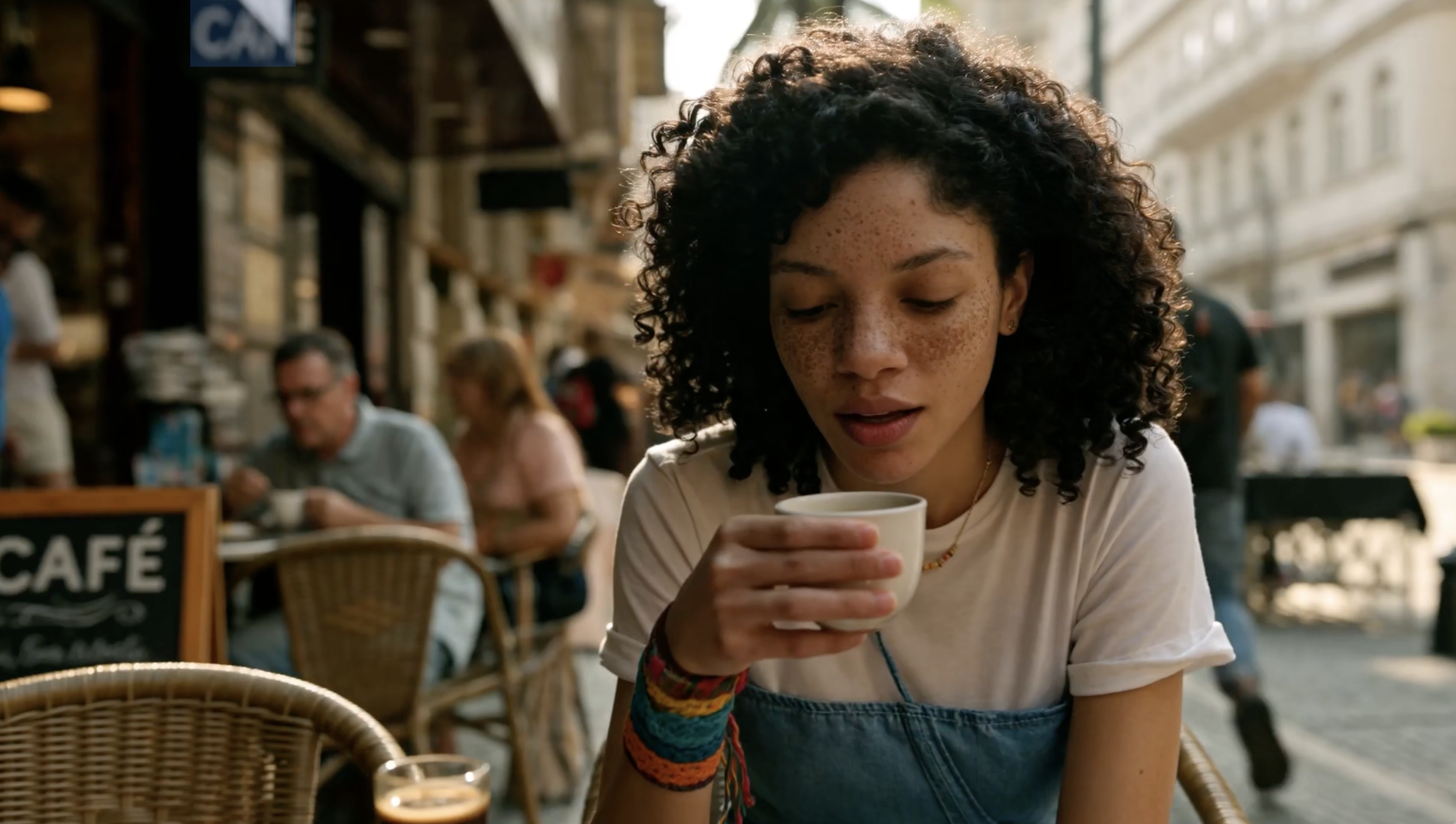
Apply the Hitchcock camera movement from the video reference to the character in the image reference, and have her sing with the voice from the audio reference.
Popular hands-on reviews, side-by-side comparisons, and creator tests of MiniMax H3.
Launch reactions, independent rankings, and hands-on commercial tests shared on X.
Choose the VidLux plan that fits the way you create—AI videos, images, or both.
Billed annually at $276
Billed annually at $408
Billed annually at $924
Common questions about generation modes, output settings, reference files, and credits.
Generate high-quality video with native synchronized audio on VidLux.