
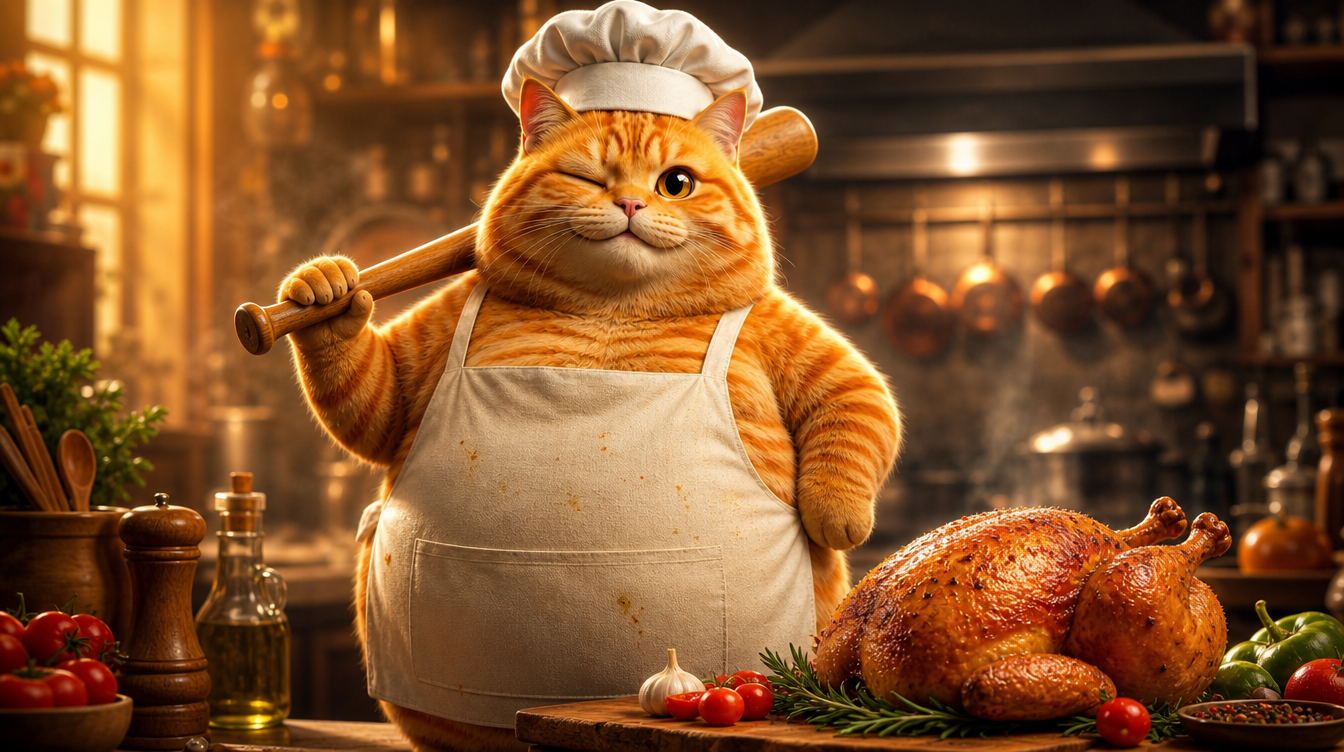
This is a viral 180M-view Cat AI Short on YouTube: an orange tabby cat cooking. It's a typical AI-generated Short — anthropomorphic animal + everyday scene + fast pacing. So I decided to recreate it completely with VidLux. Left is the original, right is our remake:
Recreating isn't copying frames — it's extracting the production logic: how to keep a character consistent, how to control pacing, how to direct actions. This post walks you through the whole process.
Step 1: Build the character — a cinematic anthropomorphic orange tabby
The core of the remake is the same orange tabby across 4 scenes (knocking out the chicken, washing it, chopping it, grilling it). This is the hardest part of AI video: character consistency.
My approach: hero image → turnaround sheet → scene images → video.
First, generate the hero image with GPT Image 2. The target style is photorealistic anthropomorphic animal CGI — the kind of quality you see from Pixar or Illumination: realistic fur rendering, subsurface scattering, cinematic lighting. And it has to be a chubby cat (the round belly is the charm). This kind of Cat AI character image can be made directly with VidLux's image generation:
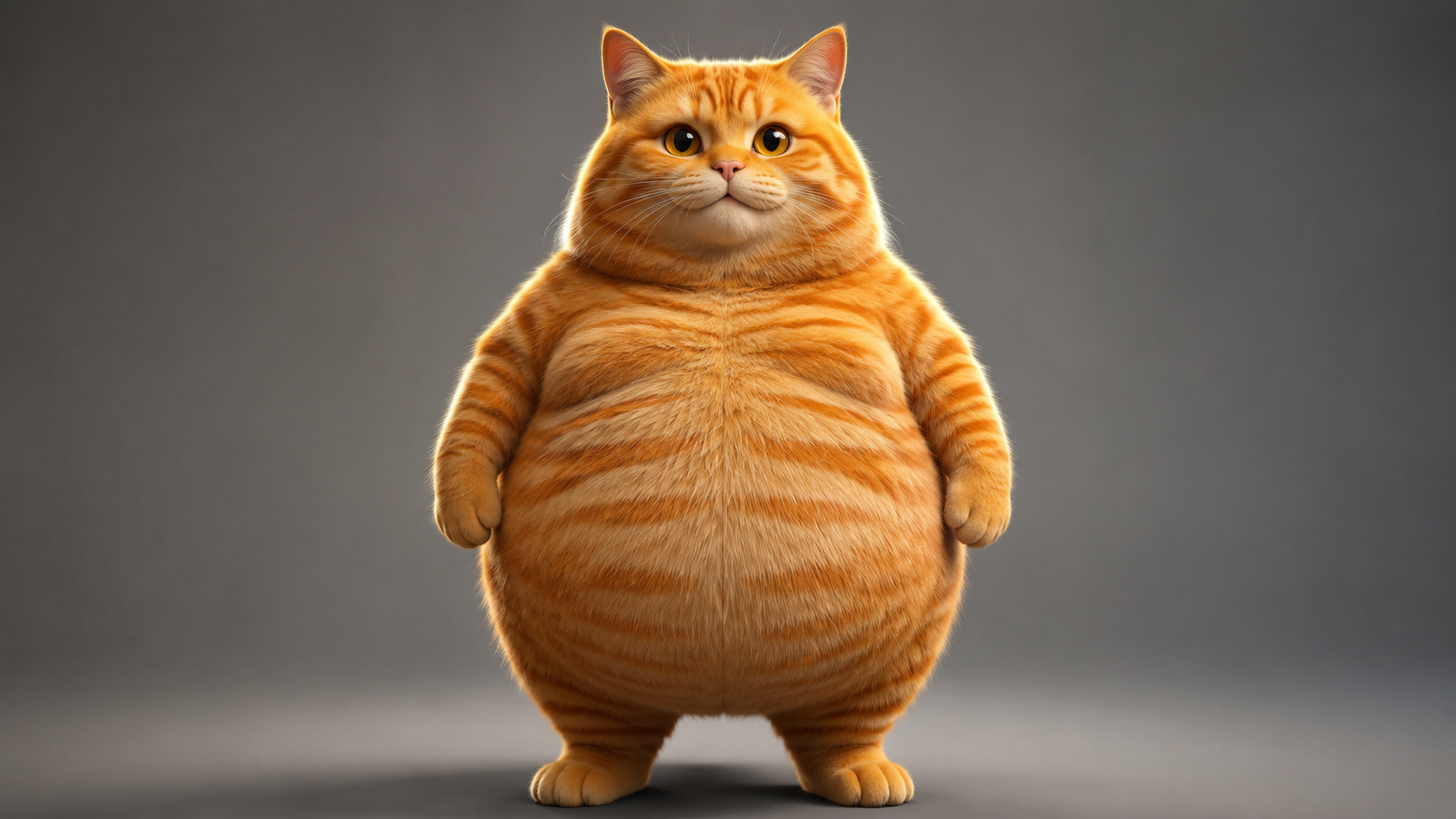
View hero image prompt
Photorealistic anthropomorphic CGI of a very chubby fat orange tabby cat, standing upright on two legs like a human in a natural relaxed pose, facing the camera, paws relaxed at sides. Movie-quality CGI fur rendering with subsurface scattering, every hair strand visible, realistic orange tabby stripes, big round belly, large expressive amber eyes with soft catchlights. Cinematic studio lighting, gentle rim light, shallow depth of field, premium animated movie character look like a Pixar or Illumination film still. Plain neutral gray studio background, full body visible, character design reference, 16:9, no text, no logos, no watermark.
Then use the hero image as reference to generate a turnaround sheet (front / side / back in one image). Because all three angles come from the same image, they are naturally the same cat — far more reliable than generating three angles separately and hoping they look alike:
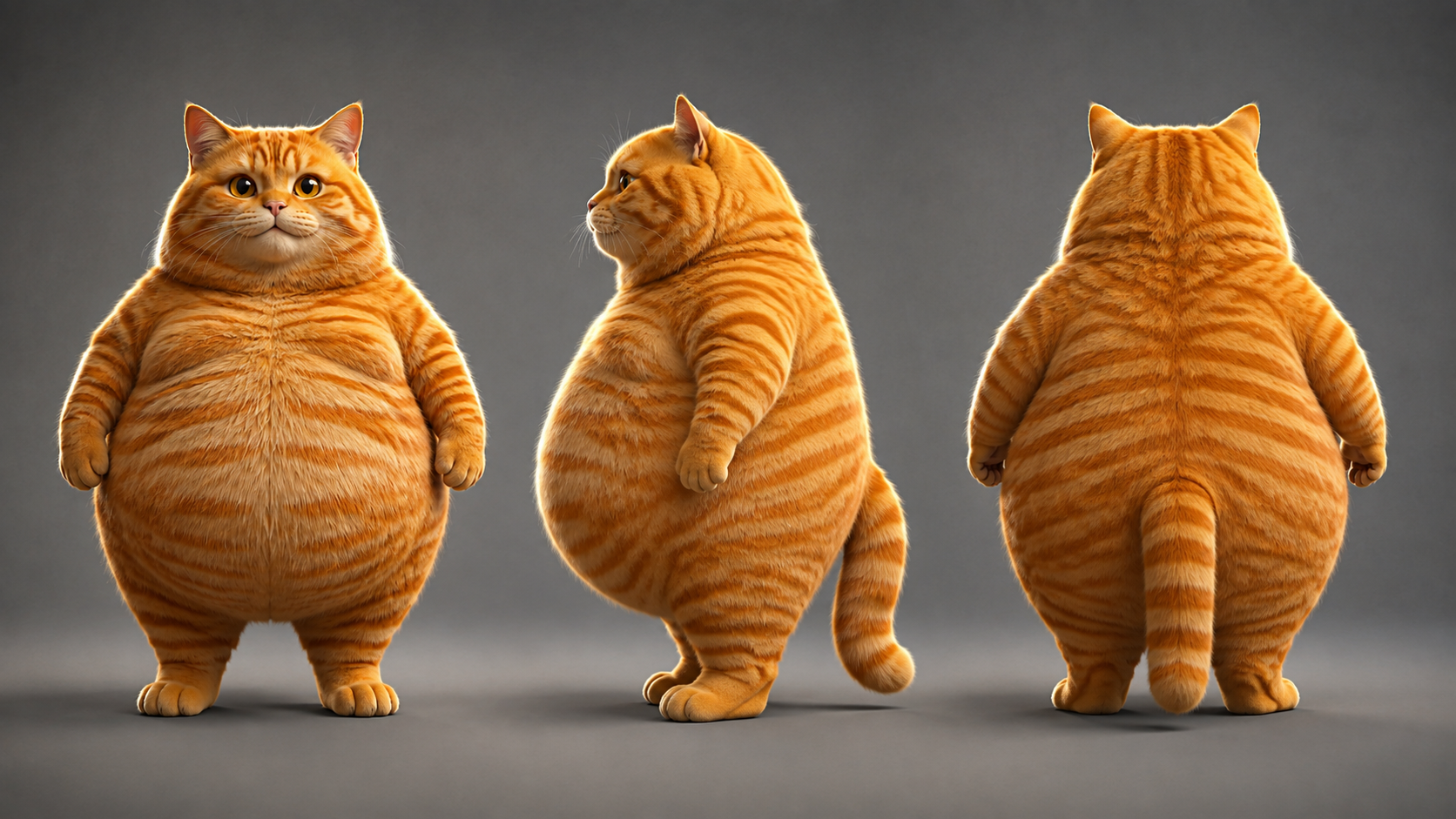
View turnaround sheet prompt
Using the exact same chubby orange tabby cat from the reference image: photorealistic anthropomorphic CGI character turnaround sheet showing THREE views of the same fat orange tabby cat standing upright - FRONT view, LEFT SIDE view and BACK view, arranged side by side in a row, all three views identical in proportions, fur pattern, chubby body, height and lighting. Movie-quality CGI fur rendering, cinematic lighting, premium animated movie character look, full body, neutral standing pose, paws at sides, centered, evenly spaced, character design sheet, no text, no logos, no watermark.
With the turnaround sheet done, here's the key: all 4 scene keyframes are generated using the turnaround sheet as the reference input, so the orange tabby in every scene is the same cat.
Step 2: Keyframes for the 4 scenes
With the character finalized, generate the 4 scene keyframes. Each scene uses image-to-image with the turnaround sheet as reference, and the prompt describes the scene content.
Match the aspect ratio to the target format: this Short is 9:16 vertical (1080x1920), so all 4 scenes are generated at 9:16 — aligned from the keyframe stage instead of adjusting the ratio afterward:
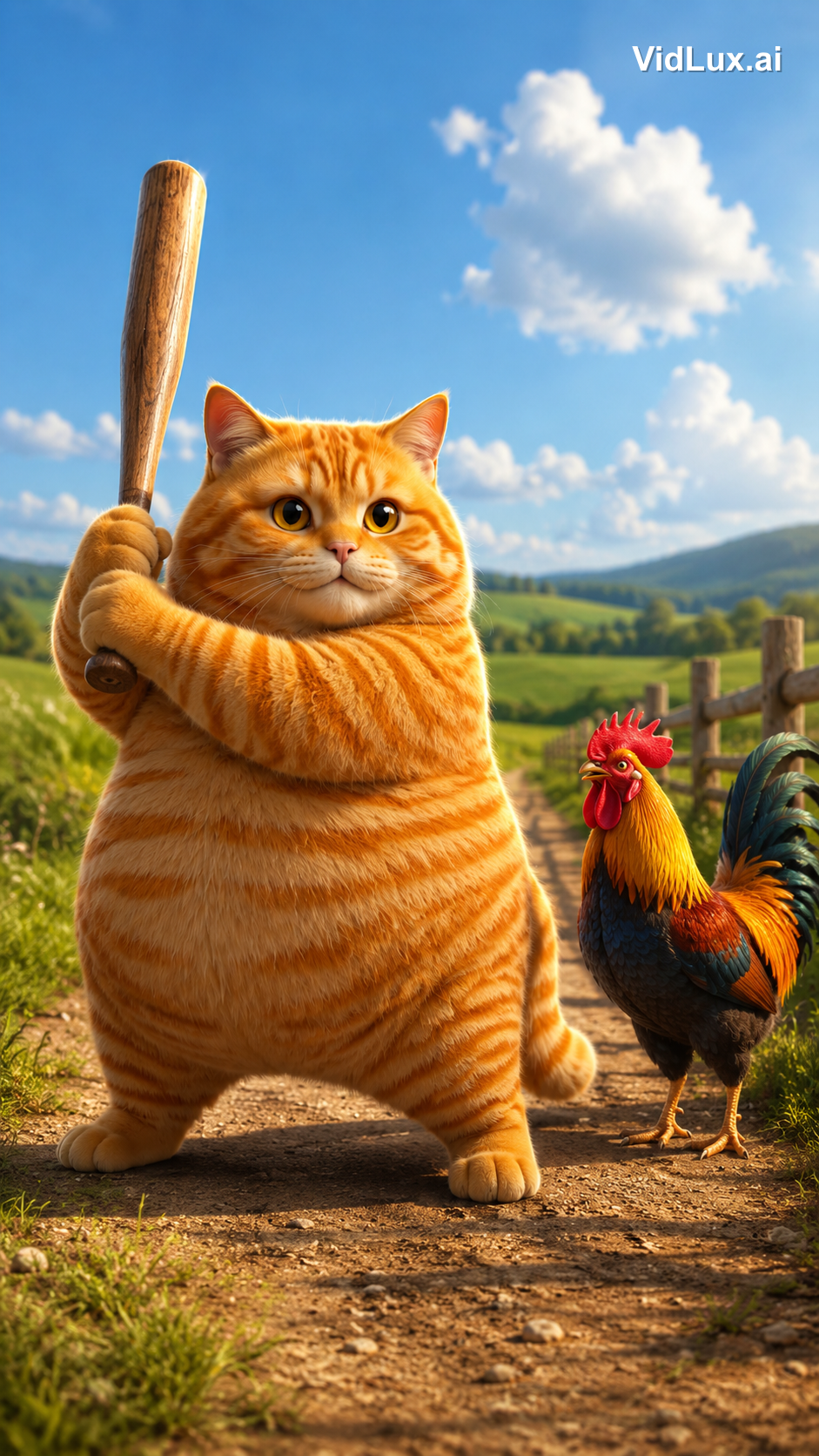
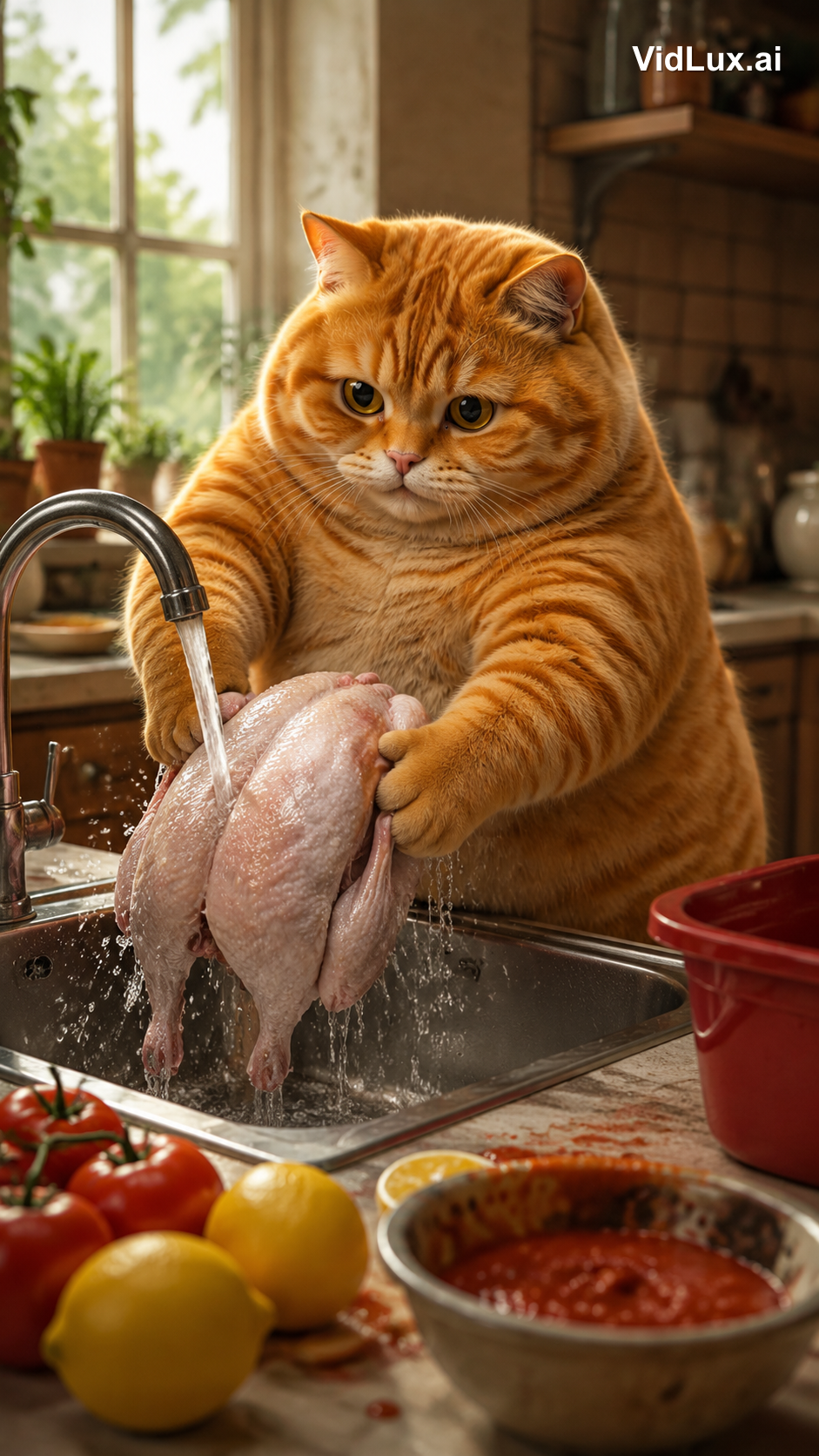
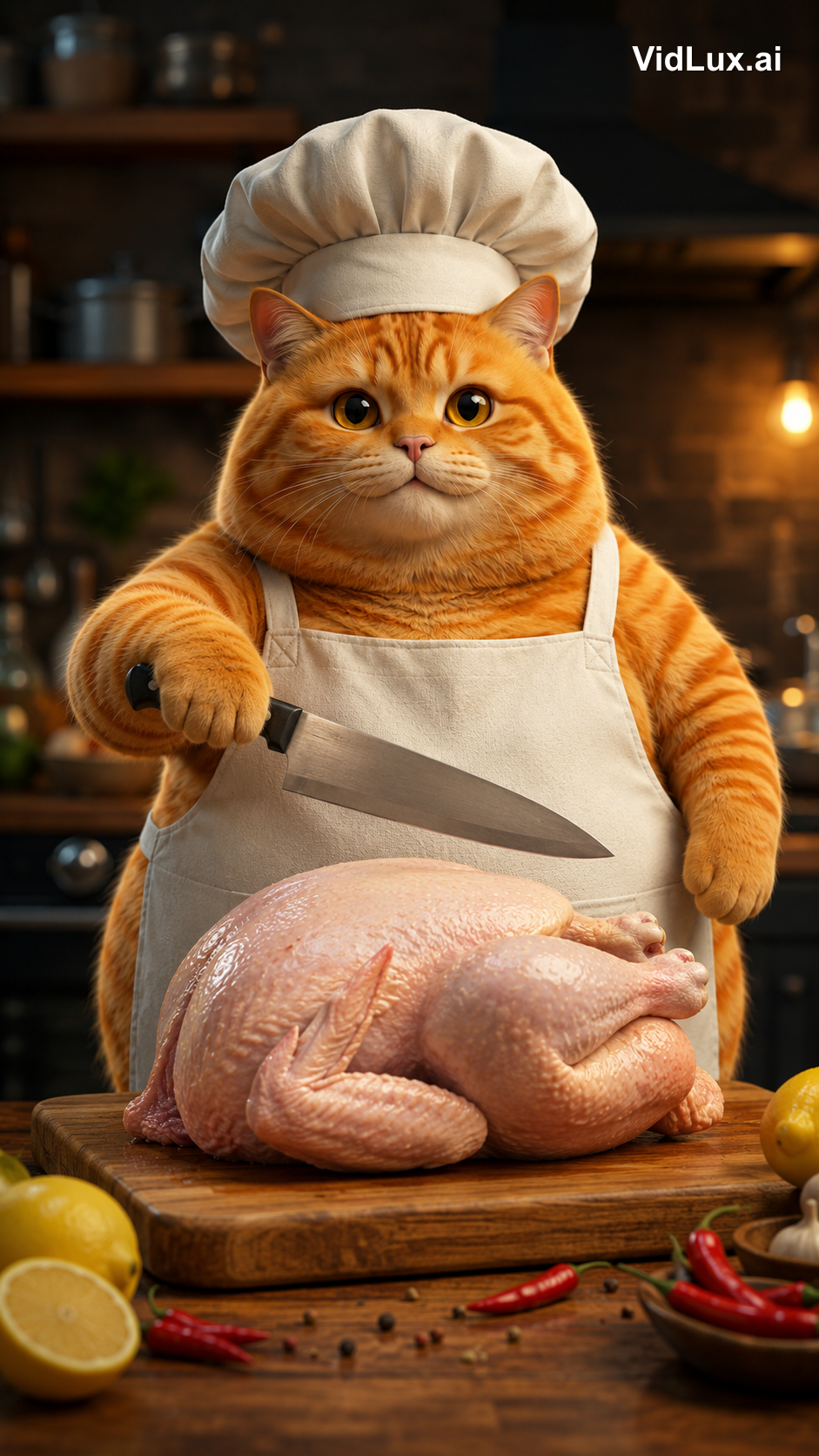
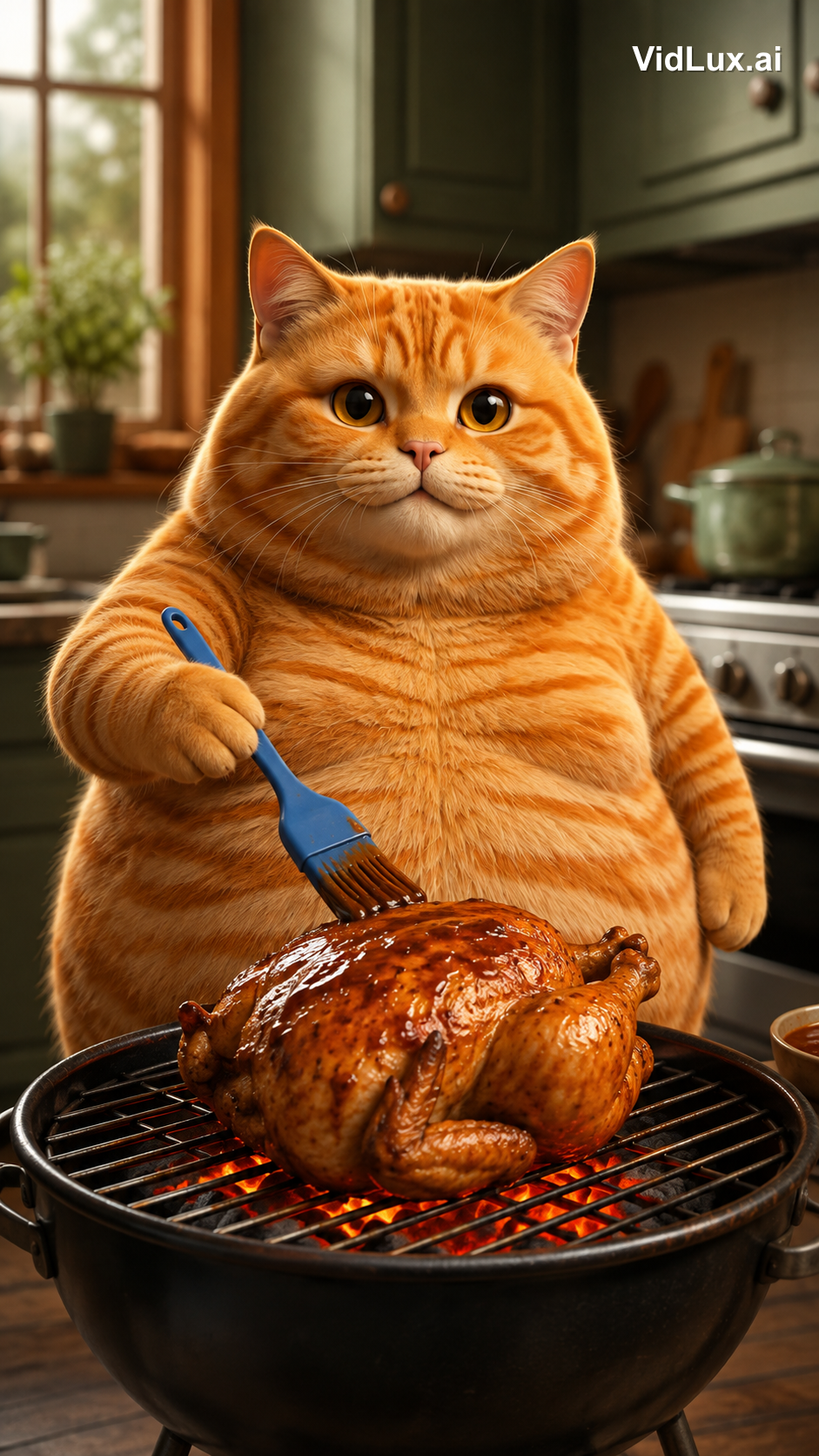
View all 4 scene prompts
Scene 1 (knockout):
Using the exact same chubby orange tabby cat from the reference images: the fat orange tabby cat stands on a dirt path in a sunny countryside field, holding a wooden baseball bat with both paws, ready to swing, a colorful rooster standing beside it looking on, green fields, distant hills, blue sky with white clouds, wooden fence. Photorealistic anthropomorphic animal CGI, movie-quality fur rendering with subsurface scattering, cinematic lighting, premium animated movie character look, vibrant and warm, 9:16 vertical composition, no text, no logos, no watermark.
Scene 2 (washing):
Using the exact same chubby orange tabby cat from the reference images: the fat orange tabby cat stands at a metal kitchen sink, holding a whole skinned pink-white raw chicken with both paws under running water from the faucet, washing the chicken, water splashing, lemons and tomatoes with red sauce on the counter beside the sink, a red container nearby, bright kitchen background with window, plants and shelves, cozy warm atmosphere. Photorealistic anthropomorphic animal CGI, movie-quality fur rendering, cinematic lighting, vibrant and warm, 9:16 vertical composition, no text, no logos, no watermark.
Scene 3 (chopping):
Using the exact same chubby orange tabby cat from the reference images: the fat orange tabby cat wearing a white chef hat and apron stands at the kitchen counter, a WHOLE skinned raw chicken lying on the wooden cutting board in front of it, the cat holding a kitchen knife in one paw raised over the whole chicken ready to cut, lemon and chili peppers around the board, blurred kitchen background with pots and shelves. Photorealistic anthropomorphic animal CGI, movie-quality fur rendering, cinematic lighting, vibrant and warm, 9:16 vertical composition, no text, no logos, no watermark.
Scene 4 (grilling):
Using the exact same chubby orange tabby cat from the reference images: the fat orange tabby cat standing at a grill in the kitchen, holding a blue brush basting sauce over a roasting chicken on the grill with glowing charcoal below, kitchen cabinets and stove in the background. Photorealistic anthropomorphic animal CGI, movie-quality fur rendering, cinematic lighting, vibrant and warm, 9:16 vertical composition, no text, no logos, no watermark.
(All 4 scene prompts share the same structure: the same cat + scene description + the same style suffix.)
Step 3: Generate video scene by scene
Once the keyframes are confirmed, use image-to-video to bring each scene to life. I used PixVerse V6 (stable queue, low cost), 4 seconds per scene. Upload the matching scene image directly — the turnaround sheet's job ends here; it only keeps the cat consistent in the scene images. From scene image to video, the frame is already final, so the prompt only needs to describe the action.
Here is how each of the 4 clips was made — the input keyframe, the full video prompt, and the result:
Clip 1: Knockout
The keyframe is the cat raising the bat in a countryside field. The video prompt has to be precise about the "strike point" — use the barrel end to hit the rooster's head, not a baseball swing:
View clip 1 video prompt
The fat orange tabby cat raises the wooden baseball bat high, then strikes the rooster on the head with the thick barrel end of the bat (the bat head), knocking the rooster out. The rooster wobbles and collapses to the ground, comedic effect, dust puff on impact. The bat head hits the rooster, not the bat shaft. Photorealistic anthropomorphic animal CGI, movie-quality fur rendering, cinematic lighting, vibrant and warm, 9:16 vertical, no text, no logos, no watermark.
Clip 2: Washing
The keyframe is the cat washing the skinned whole chicken at the sink. The video prompt adds a signature moment beyond "washing" — after washing, pick up the chicken and give it a kiss:
View clip 2 video prompt
The fat orange tabby cat washes the whole skinned raw chicken under running water in the metal sink, then after washing, picks up the wet chicken with both paws and gives it a loving kiss on the chicken, eyes closed, sweet expression. Photorealistic anthropomorphic animal CGI, movie-quality fur rendering, cinematic lighting, vibrant and warm, 9:16 vertical, no text, no logos, no watermark.
Clip 3: Chopping
The keyframe is the chef-hat cat raising the knife over the whole chicken. The video prompt adds a beat before "chopping" — meow once first, then cut:
View clip 3 video prompt
The fat orange tabby cat wearing a white chef hat and apron opens its mouth and lets out a single meow, then raises the kitchen knife and starts chopping the whole raw chicken on the wooden cutting board, cutting into the chicken. Photorealistic anthropomorphic animal CGI, movie-quality fur rendering, cinematic lighting, vibrant and warm, 9:16 vertical, no text, no logos, no watermark.
Clip 4: Grilling
The keyframe is the cat basting the grilled chicken. The video prompt emphasizes the charcoal dynamics — sauce brushed on, charcoal glowing below:
View clip 4 video prompt
The fat orange tabby cat brushes sauce over the roasting chicken on the grill, glowing charcoal below, flames licking the chicken. Photorealistic anthropomorphic animal CGI, movie-quality fur rendering, cinematic lighting, vibrant and warm, 9:16 vertical, no text, no logos, no watermark.
A key insight: AI models understand actions only as precisely as your prompt. Describe the action as "what to do, with which part, and the result" — for the knockout, write "hit the rooster's head with the bat head, the rooster falls"; for washing, write "skinned whole chicken, kiss it after washing". Miss one detail and the model improvises on its own.
Step 4: Edit and add music
Each clip is 4 seconds, but the original is 8.9 seconds at 2.2s per scene. The original is sped up — every action is compressed into 2.2 seconds, very tight.
So I did two things in editing:
- Speed up: each clip to 1.8x (4s → 2.2s). The action stays complete but the pacing gets tighter. Editors like CapCut have a "speed" control for this.
- Concatenate: join the 4 sped-up clips in order into one continuous video.
Finally, the music: the original is pure background music, and I used the same upbeat track. After editing and music, it's the final video at the top.
Full spec comparison:
| Item | Original | Remake |
|---|---|---|
| Duration | 8.9s | 9.0s |
| Aspect | 1080x1920 (9:16) | 720x1280 (9:16) |
| Pacing | 4 scenes × 2.2s fast cuts | 4 scenes × 2.2s fast cuts (1.8x) |
| Character | Anthropomorphic orange tabby | Cinematic CGI orange tabby (same one) |
| Audio | Upbeat BGM | Same track |
What remaking a viral video really takes
The biggest lesson from this project: the hard part isn't generation — it's analysis and design.
- Break it down before you build: quantify the original's pacing, content and style so generation has a basis
- Character consistency is the foundation: hero image → turnaround → scene image → video, each step uses the previous one as reference, so all 4 scenes are the same cat — the audience never breaks immersion
- Actions must be precise to the body part: knocking out vs. swinging, bat head vs. bat shaft, washing a chicken vs. washing vegetables — one word different in the prompt and the frame is completely different
- Align aspect ratio and pacing: 9:16 from the keyframe stage; fast pacing comes from speed-up in editing, not from telling the model to "move faster"
At the end of the day, AI is the painter, you are the director. The viral logic of the original (anthropomorphic animal + contrast cuteness + fast pacing) was analyzed; the character design, scene order, and action details are all human decisions. AI turns those decisions into frames. AI cat videos are not hard to make — what's hard is keeping one cat consistent across 4 scenes like this one.
Want to try one yourself? VidLux's image-to-video is all you need. Start with one character image, follow this workflow, and you can recreate your own viral Cat AI Short.