
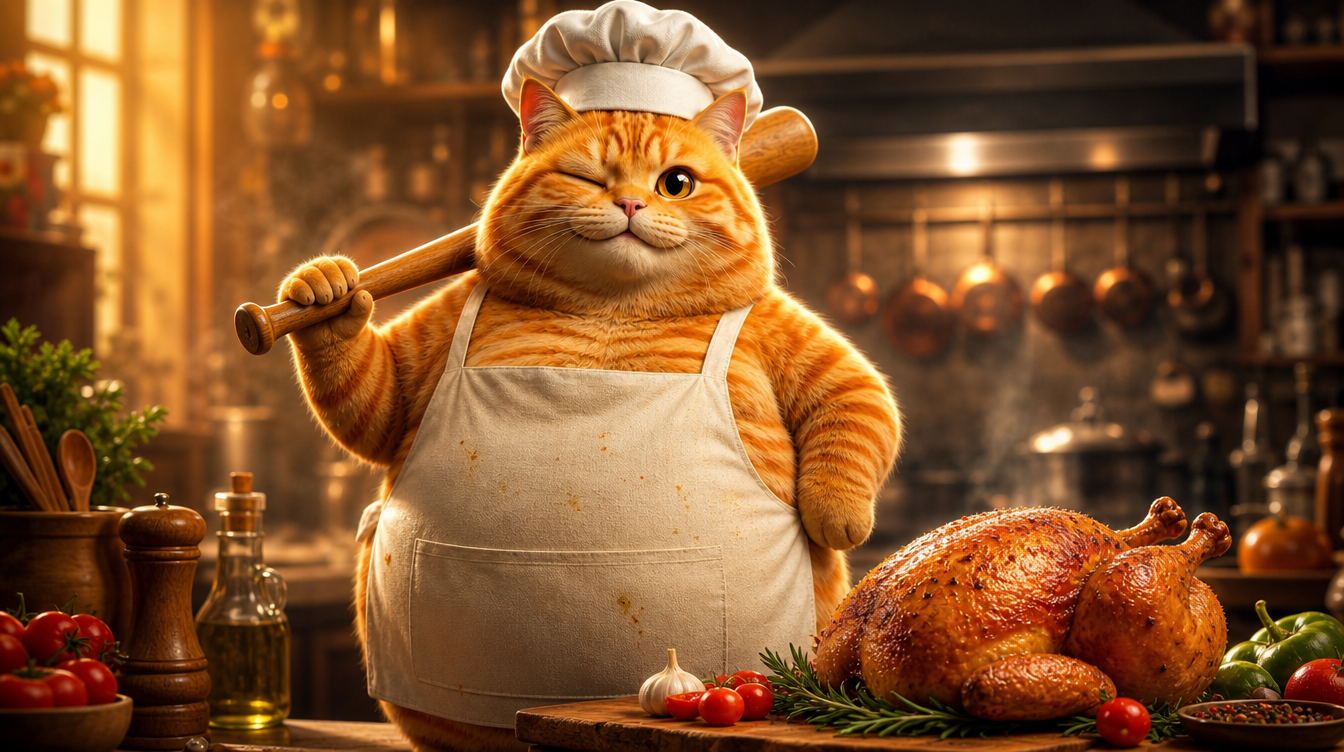
這是一支在 YouTube 上爆紅、累積 1.8 億觀看的 Cat AI Short:一隻橘貓在煮飯。它是典型的 AI 生成 Short——擬人化動物+日常場景+快節奏剪輯。於是我決定用 VidLux 將它完整復刻。左邊是原版,右邊是我們的復刻版:
復刻不是複製畫面,而是拆解背後的製作邏輯:如何維持角色一致性、如何掌控節奏、如何引導動作。這篇文章會帶你走完整個流程。
步驟 1:打造角色——電影感的擬人化橘貓
復刻的核心,是同一隻橘貓貫穿 4 個場景(打昏雞、洗雞、剁雞、烤雞)。這正是 AI 影片最難的部分:角色一致性。
我的做法是:主視覺圖 → 角色三視圖 → 場景圖 → 影片。
首先,用 GPT Image 2 生成主視覺圖。目標風格是寫實擬人動物 CGI——就是 Pixar 或 Illumination 那種品質:逼真的毛髮渲染、次表面散射、電影級燈光。而且必須是一隻圓潤的胖貓(圓滾滾的肚子就是魅力所在)。這種 Cat AI 角色圖可以直接用 VidLux 的圖片生成做出來:
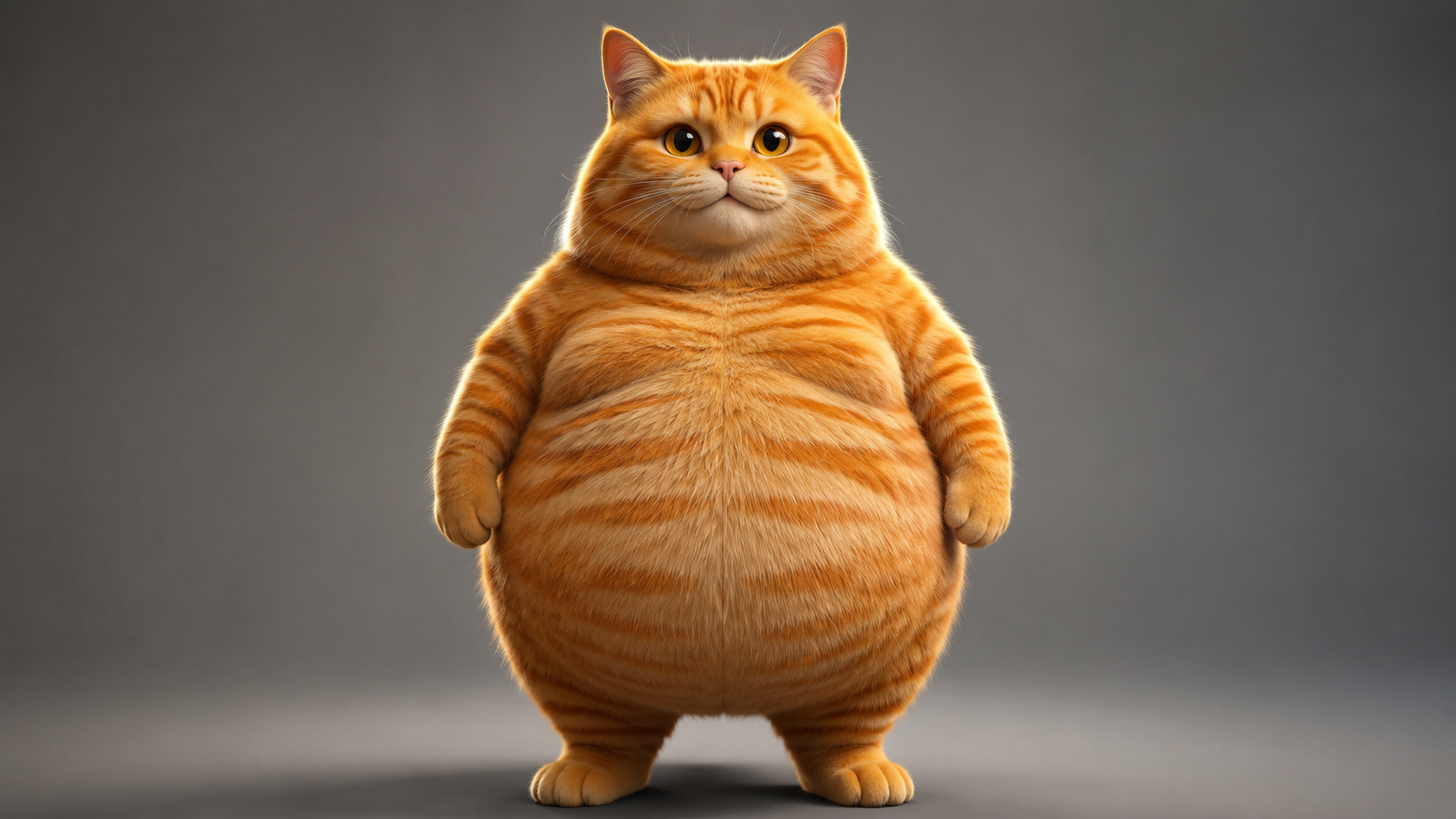
查看主視覺圖提示詞
Photorealistic anthropomorphic CGI of a very chubby fat orange tabby cat, standing upright on two legs like a human in a natural relaxed pose, facing the camera, paws relaxed at sides. Movie-quality CGI fur rendering with subsurface scattering, every hair strand visible, realistic orange tabby stripes, big round belly, large expressive amber eyes with soft catchlights. Cinematic studio lighting, gentle rim light, shallow depth of field, premium animated movie character look like a Pixar or Illumination film still. Plain neutral gray studio background, full body visible, character design reference, 16:9, no text, no logos, no watermark.
接著以主視覺圖為參考,生成一張角色三視圖(正面/側面/背面合成一張圖)。因為三個角度都源自同一張圖,自然就是同一隻貓——比起分別生成三個角度、再祈禱它們長得像,可靠太多了:
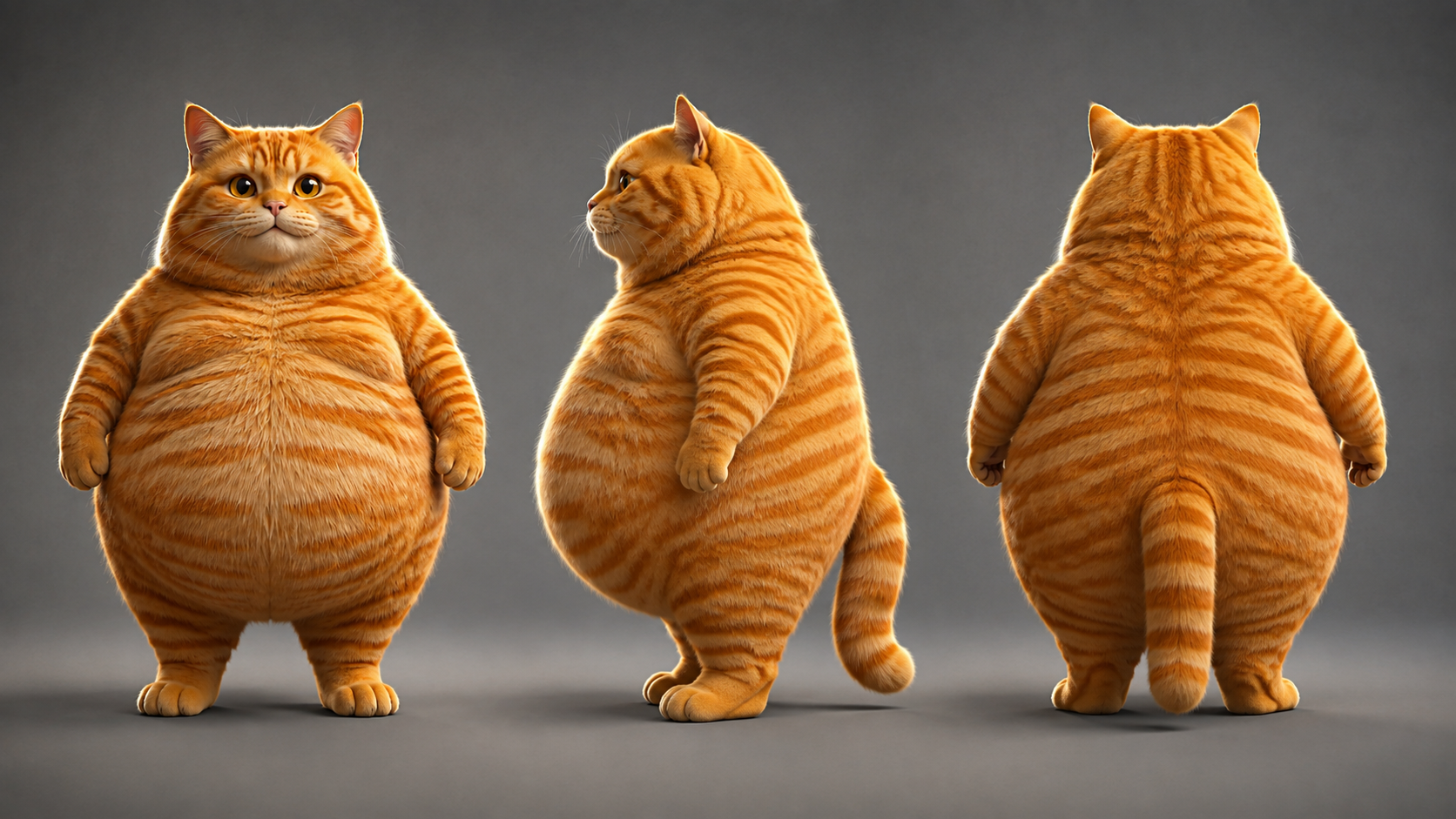
查看角色三視圖提示詞
Using the exact same chubby orange tabby cat from the reference image: photorealistic anthropomorphic CGI character turnaround sheet showing THREE views of the same fat orange tabby cat standing upright - FRONT view, LEFT SIDE view and BACK view, arranged side by side in a row, all three views identical in proportions, fur pattern, chubby body, height and lighting. Movie-quality CGI fur rendering, cinematic lighting, premium animated movie character look, full body, neutral standing pose, paws at sides, centered, evenly spaced, character design sheet, no text, no logos, no watermark.
三視圖完成之後,關鍵就在這裡:4 個場景的關鍵影格全部以角色三視圖作為參考輸入來生成,因此每個場景裡的橘貓都是同一隻。
步驟 2:生成 4 個場景的關鍵影格
角色定稿後,就來生成 4 個場景的關鍵影格。每個場景都用圖生圖,以角色三視圖為參考,由提示詞描述場景內容。
讓畫面比例對齊目標格式:這支 Short 是9:16 直式(1080x1920),所以 4 個場景都直接以 9:16 生成——從關鍵影格階段就對齊,而不是事後才調整比例:
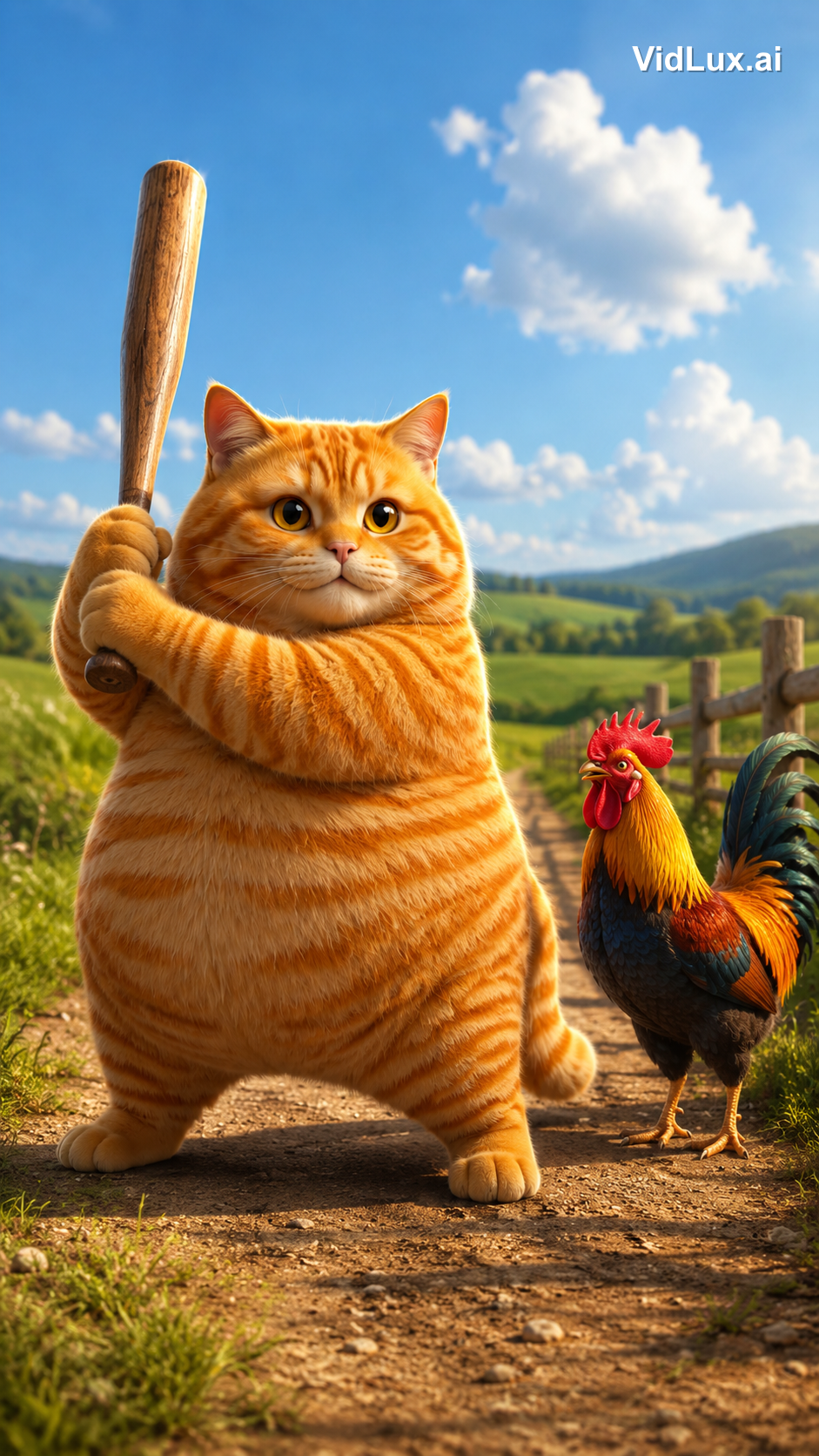
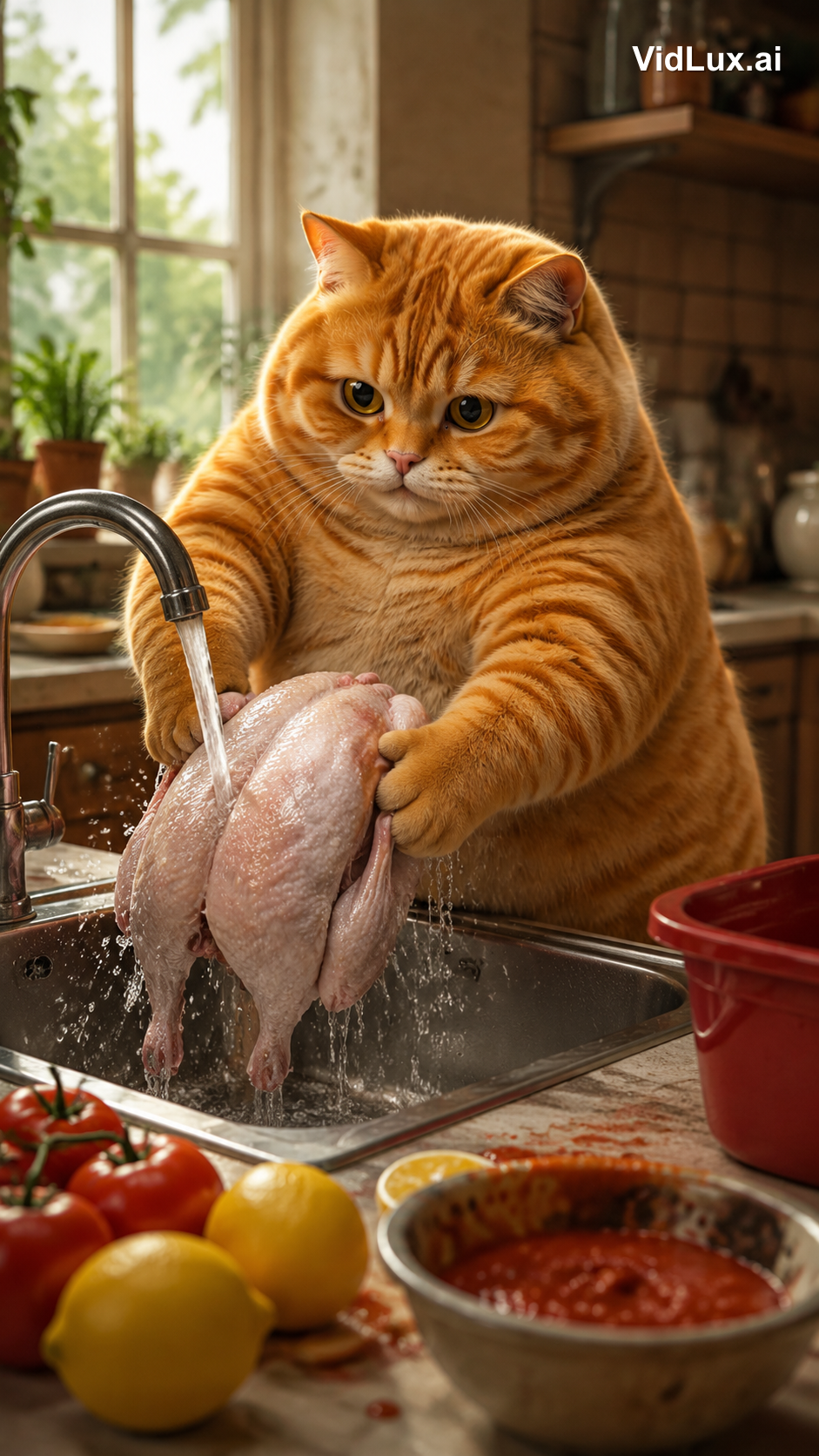
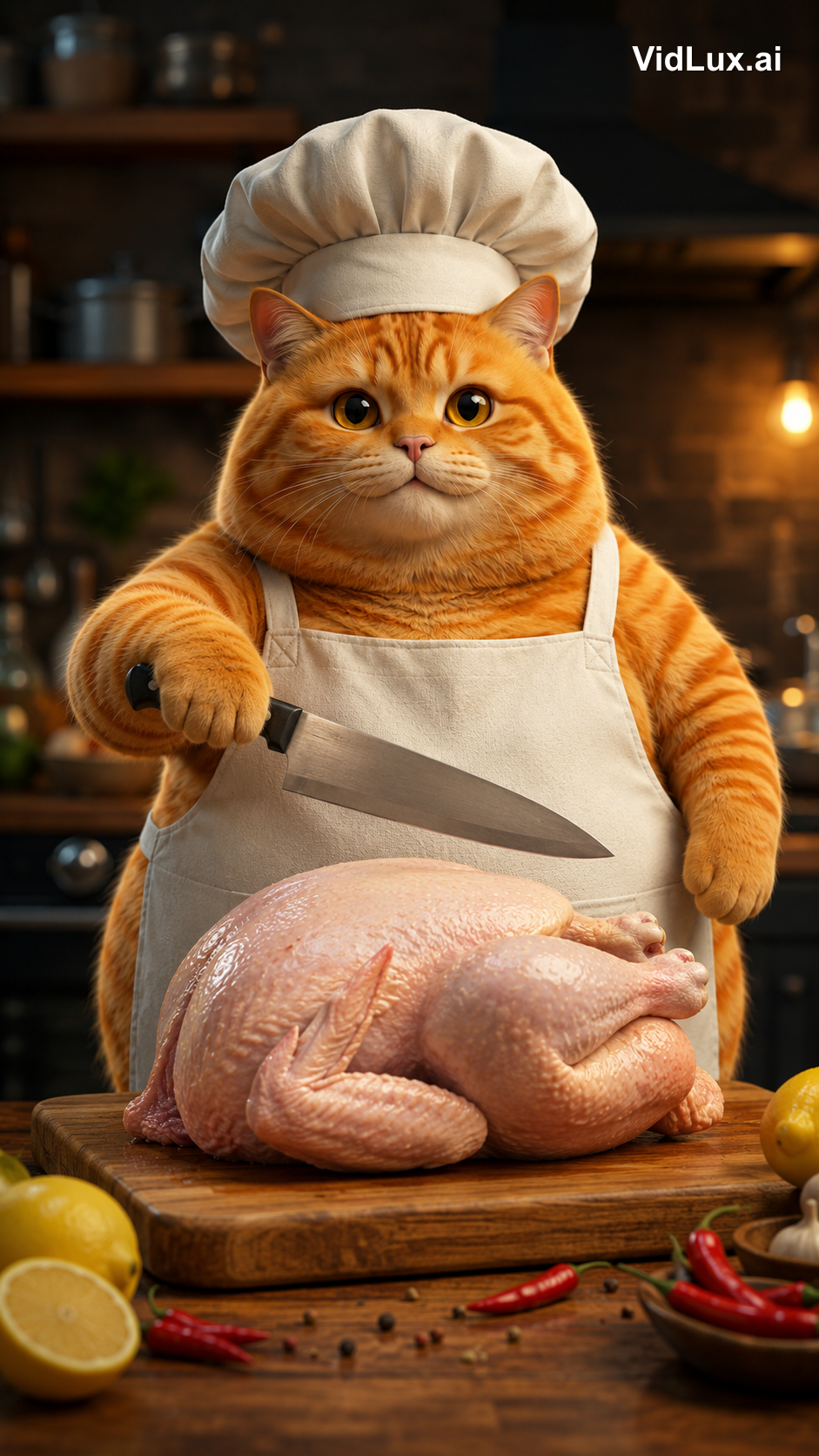
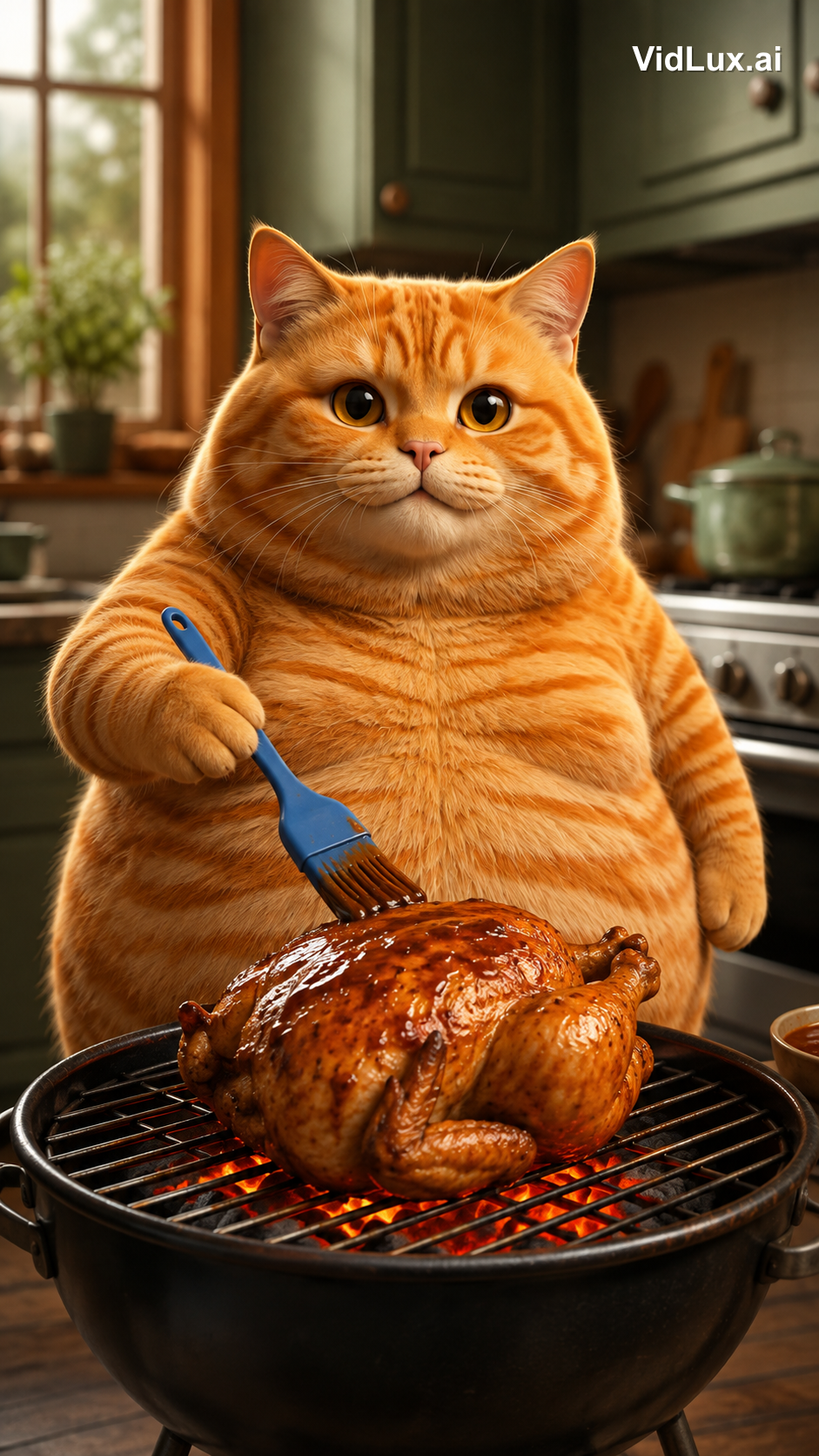
查看 4 個場景的提示詞
Scene 1 (knockout):
Using the exact same chubby orange tabby cat from the reference images: the fat orange tabby cat stands on a dirt path in a sunny countryside field, holding a wooden baseball bat with both paws, ready to swing, a colorful rooster standing beside it looking on, green fields, distant hills, blue sky with white clouds, wooden fence. Photorealistic anthropomorphic animal CGI, movie-quality fur rendering with subsurface scattering, cinematic lighting, premium animated movie character look, vibrant and warm, 9:16 vertical composition, no text, no logos, no watermark.
Scene 2 (washing):
Using the exact same chubby orange tabby cat from the reference images: the fat orange tabby cat stands at a metal kitchen sink, holding a whole skinned pink-white raw chicken with both paws under running water from the faucet, washing the chicken, water splashing, lemons and tomatoes with red sauce on the counter beside the sink, a red container nearby, bright kitchen background with window, plants and shelves, cozy warm atmosphere. Photorealistic anthropomorphic animal CGI, movie-quality fur rendering, cinematic lighting, vibrant and warm, 9:16 vertical composition, no text, no logos, no watermark.
Scene 3 (chopping):
Using the exact same chubby orange tabby cat from the reference images: the fat orange tabby cat wearing a white chef hat and apron stands at the kitchen counter, a WHOLE skinned raw chicken lying on the wooden cutting board in front of it, the cat holding a kitchen knife in one paw raised over the whole chicken ready to cut, lemon and chili peppers around the board, blurred kitchen background with pots and shelves. Photorealistic anthropomorphic animal CGI, movie-quality fur rendering, cinematic lighting, vibrant and warm, 9:16 vertical composition, no text, no logos, no watermark.
Scene 4 (grilling):
Using the exact same chubby orange tabby cat from the reference images: the fat orange tabby cat standing at a grill in the kitchen, holding a blue brush basting sauce over a roasting chicken on the grill with glowing charcoal below, kitchen cabinets and stove in the background. Photorealistic anthropomorphic animal CGI, movie-quality fur rendering, cinematic lighting, vibrant and warm, 9:16 vertical composition, no text, no logos, no watermark.
(4 個場景的提示詞結構相同:同一隻貓+場景描述+相同的風格後綴。)
步驟 3:逐場景生成影片
關鍵影格確認後,用圖生影片讓每個場景動起來。我使用的是 PixVerse V6(穩定佇列、成本低),每個場景 4 秒。直接上傳對應的場景圖——角色三視圖的任務到此為止,它的作用只是在場景圖中維持貓的一致性。從場景圖到影片,畫面已經定稿,提示詞只需要描述動作即可。
以下是 4 支片段的製作方式——輸入的關鍵影格、完整影片提示詞與成果:
片段 1:擊昏
關鍵影格是貓在鄉間田野舉起球棒。影片提示詞必須精準描述「擊打點」——要用球棒粗端敲公雞的頭,而不是揮棒打擊:
查看片段 1 的影片提示詞
The fat orange tabby cat raises the wooden baseball bat high, then strikes the rooster on the head with the thick barrel end of the bat (the bat head), knocking the rooster out. The rooster wobbles and collapses to the ground, comedic effect, dust puff on impact. The bat head hits the rooster, not the bat shaft. Photorealistic anthropomorphic animal CGI, movie-quality fur rendering, cinematic lighting, vibrant and warm, 9:16 vertical, no text, no logos, no watermark.
片段 2:清洗
關鍵影格是貓在水槽清洗去皮的整雞。影片提示詞在「清洗」之外加了一個招牌動作——洗好之後,把雞拿起來親一下:
查看片段 2 的影片提示詞
The fat orange tabby cat washes the whole skinned raw chicken under running water in the metal sink, then after washing, picks up the wet chicken with both paws and gives it a loving kiss on the chicken, eyes closed, sweet expression. Photorealistic anthropomorphic animal CGI, movie-quality fur rendering, cinematic lighting, vibrant and warm, 9:16 vertical, no text, no logos, no watermark.
片段 3:剁雞
關鍵影格是戴廚師帽的貓對著整雞舉起菜刀。影片提示詞在「剁」之前加了一個節拍——先喵一聲,再下刀:
查看片段 3 的影片提示詞
The fat orange tabby cat wearing a white chef hat and apron opens its mouth and lets out a single meow, then raises the kitchen knife and starts chopping the whole raw chicken on the wooden cutting board, cutting into the chicken. Photorealistic anthropomorphic animal CGI, movie-quality fur rendering, cinematic lighting, vibrant and warm, 9:16 vertical, no text, no logos, no watermark.
片段 4:燒烤
關鍵影格是貓在幫烤雞刷醬。影片提示詞著重炭火動態——刷上醬汁、下方炭火通紅:
查看片段 4 的影片提示詞
The fat orange tabby cat brushes sauce over the roasting chicken on the grill, glowing charcoal below, flames licking the chicken. Photorealistic anthropomorphic animal CGI, movie-quality fur rendering, cinematic lighting, vibrant and warm, 9:16 vertical, no text, no logos, no watermark.
**一個關鍵心得:AI 模型對動作的理解,精準度完全取決於你的提示詞。**描述動作時要寫清楚「做什麼、用哪個部位、結果如何」——擊昏場景要寫「用球棒頭敲公雞的頭,公雞倒下」;清洗場景要寫「去皮的整雞,洗完之後親一下」。少寫一個細節,模型就會自己亂發揮。
步驟 4:剪輯與配樂
每支片段是 4 秒,但原版總長 8.9 秒、每個場景只有 2.2 秒。原版是加速過的——每個動作都被壓縮到 2.2 秒內,節奏非常緊湊。
所以我在剪輯時做了兩件事:
- 加速:每支片段調到 1.8 倍速(4 秒 → 2.2 秒)。動作依然完整,但節奏更緊湊。CapCut 這類剪輯軟體都有「速度」控制可以做到。
- 串接:把 4 支加速後的片段依序接成一支連續影片。
最後是音樂:原版只有背景音樂,我用了同一首輕快配樂。剪輯與配樂完成後,就是文章最上方那支最終成品。
完整規格對照:
| 項目 | 原版 | 復刻版 |
|---|---|---|
| 時長 | 8.9 秒 | 9.0 秒 |
| 畫面比例 | 1080x1920(9:16) | 720x1280(9:16) |
| 節奏 | 4 個場景 × 2.2 秒快剪 | 4 個場景 × 2.2 秒快剪(1.8 倍速) |
| 角色 | 擬人化橘貓 | 電影感 CGI 橘貓(同一隻) |
| 音訊 | 輕快 BGM | 同一首配樂 |
復刻一支爆紅影片,真正需要的是什麼
這個專案最大的體悟:困難的從來不是生成,而是分析與設計。
- 動手前先拆解:量化原版的節奏、內容與風格,讓生成有依據
- 角色一致性是根本:主視覺圖 → 三視圖 → 場景圖 → 影片,每一步都以上一步為參考,4 個場景才會是同一隻貓——觀眾才不會出戲
- 動作要精準到部位:擊昏 vs. 揮棒、球棒頭 vs. 球棒身、洗雞 vs. 洗菜——提示詞差一個字,畫面就完全不同
- 對齊比例與節奏:從關鍵影格階段就用 9:16;快節奏來自剪輯時的加速,而不是叫模型「動快一點」
**說到底,AI 是畫家,你才是導演。**原版的爆紅邏輯(擬人化動物+反差萌+快節奏)已經被拆解;角色設計、場景順序、動作細節全是人的決定,AI 只是把這些決定變成畫面。AI 貓咪影片一點都不難做——難的是像這支一樣,讓同一隻貓在 4 個場景裡保持一致。
想自己試試看嗎?你只需要 VidLux 的圖生影片。從一張角色圖開始,照著這個流程走,你也能復刻屬於自己的爆紅 Cat AI Short。