
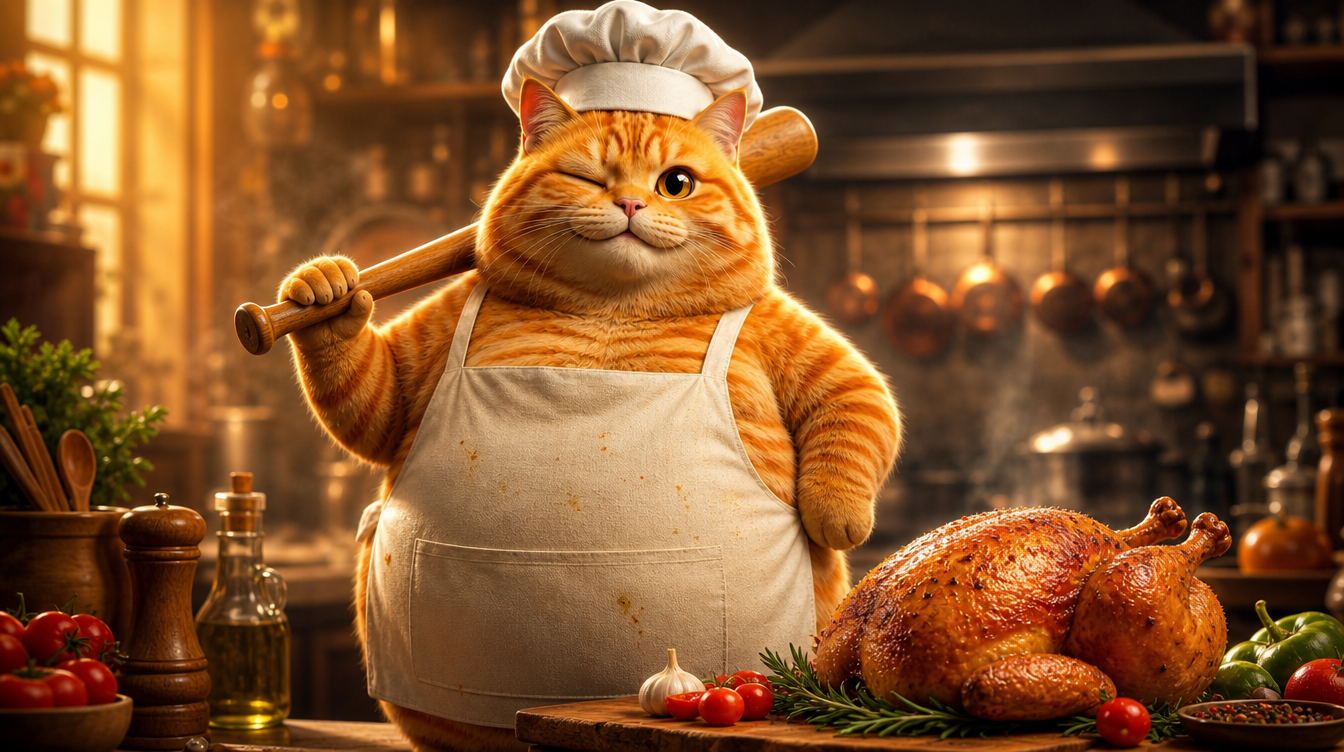
이 영상은 YouTube에서 1.8억 뷰를 기록한 바이럴 Cat AI Short입니다. 주황색 얼룩고양이가 요리를 하는 영상이죠. 전형적인 AI 생성 Short — 의인화된 동물 + 일상적인 장면 + 빠른 전개. 그래서 VidLux로 이 영상을 처음부터 끝까지 재현해 보기로 했습니다. 왼쪽이 원본, 오른쪽이 저희 리메이크입니다:
리메이크는 프레임을 복사하는 것이 아니라 제작 로직을 뽑아내는 작업입니다. 캐릭터를 어떻게 일관되게 유지할지, 템포를 어떻게 조절할지, 액션을 어떻게 연출할지가 핵심이죠. 이 글에서 전체 과정을 차근차근 소개합니다.
1단계: 캐릭터 만들기 — 시네마틱한 의인화 주황색 얼룩고양이
리메이크의 핵심은 4개 장면에 걸쳐 같은 주황색 얼룩고양이를 유지하는 것입니다(닭을 기절시키고, 씻고, 자르고, 굽기까지). AI 영상에서 가장 어려운 부분, 바로 캐릭터 일관성입니다.
제 접근법은 히어로 이미지 → 턴어라운드 시트 → 장면 이미지 → 영상 순서입니다.
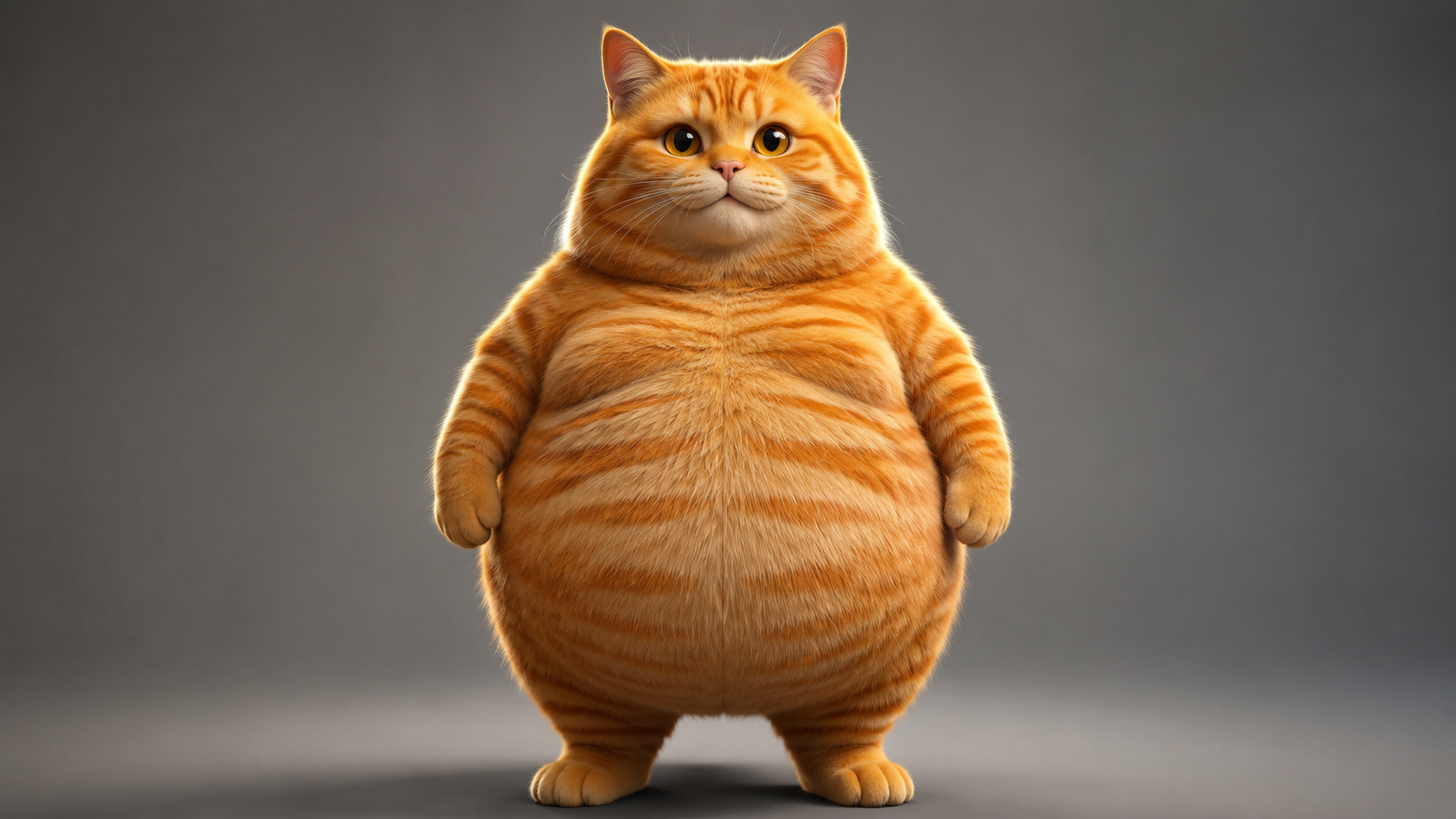
먼저 GPT Image 2로 히어로 이미지를 생성합니다. 목표 스타일은 포토리얼리스틱한 의인화 동물 CGI — Pixar나 Illumination 수준의 퀄리티입니다. 사실적인 털 렌더링, 서브서피스 스캐터링, 시네마틱 조명까지. 그리고 반드시 통통한 고양이여야 합니다(동그란 배가 매력 포인트죠). 이런 Cat AI 캐릭터 이미지는 VidLux의 이미지 생성으로 바로 만들 수 있습니다:
히어로 이미지 프롬프트 보기
Photorealistic anthropomorphic CGI of a very chubby fat orange tabby cat, standing upright on two legs like a human in a natural relaxed pose, facing the camera, paws relaxed at sides. Movie-quality CGI fur rendering with subsurface scattering, every hair strand visible, realistic orange tabby stripes, big round belly, large expressive amber eyes with soft catchlights. Cinematic studio lighting, gentle rim light, shallow depth of field, premium animated movie character look like a Pixar or Illumination film still. Plain neutral gray studio background, full body visible, character design reference, 16:9, no text, no logos, no watermark.
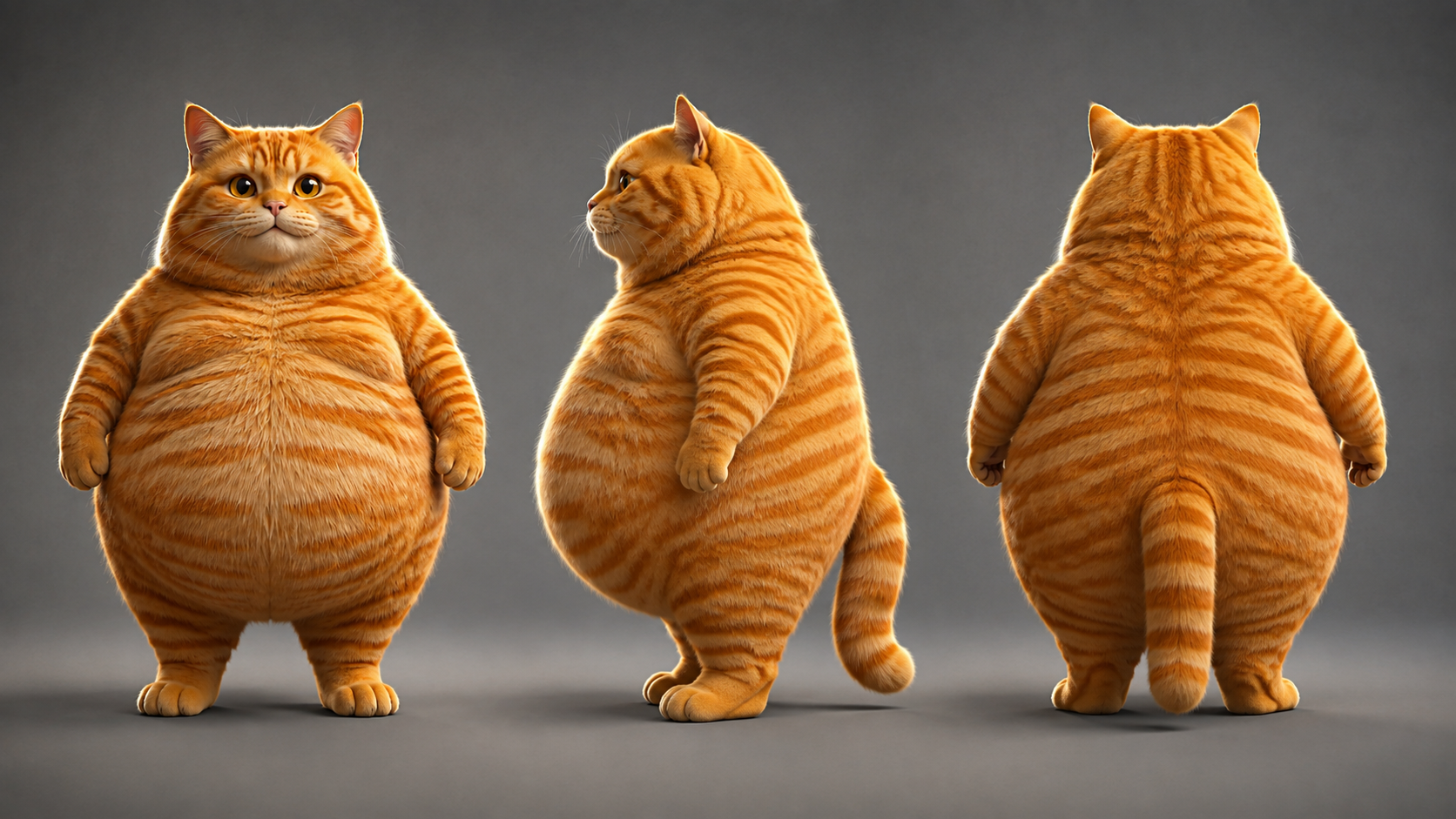
그다음 히어로 이미지를 참조로 턴어라운드 시트(정면 / 측면 / 후면을 한 장에)를 생성합니다. 세 각도가 모두 같은 이미지에서 나오기 때문에 자연스럽게 같은 고양이가 됩니다. 세 각도를 따로 생성해 닮기를 기대하는 것보다 훨씬 안정적이죠:
턴어라운드 시트 프롬프트 보기
Using the exact same chubby orange tabby cat from the reference image: photorealistic anthropomorphic CGI character turnaround sheet showing THREE views of the same fat orange tabby cat standing upright - FRONT view, LEFT SIDE view and BACK view, arranged side by side in a row, all three views identical in proportions, fur pattern, chubby body, height and lighting. Movie-quality CGI fur rendering, cinematic lighting, premium animated movie character look, full body, neutral standing pose, paws at sides, centered, evenly spaced, character design sheet, no text, no logos, no watermark.
턴어라운드 시트가 완성되면, 여기가 핵심입니다. 4개 장면의 키프레임을 모두 턴어라운드 시트를 참조 입력으로 사용해 생성하면, 모든 장면의 주황색 얼룩고양이가 같은 고양이가 됩니다.
2단계: 4개 장면의 키프레임 만들기
캐릭터가 확정되면 4개 장면의 키프레임을 생성합니다. 각 장면은 이미지-투-이미지를 사용하고 턴어라운드 시트를 참조로 삼으며, 프롬프트는 장면 내용을 서술합니다.
목표 포맷에 맞춰 화면 비율을 맞추세요: 이 Short는 9:16 세로(1080x1920) 영상이라 4개 장면 모두 9:16으로 생성합니다. 나중에 비율을 바꾸는 대신 키프레임 단계에서부터 맞추는 거죠:
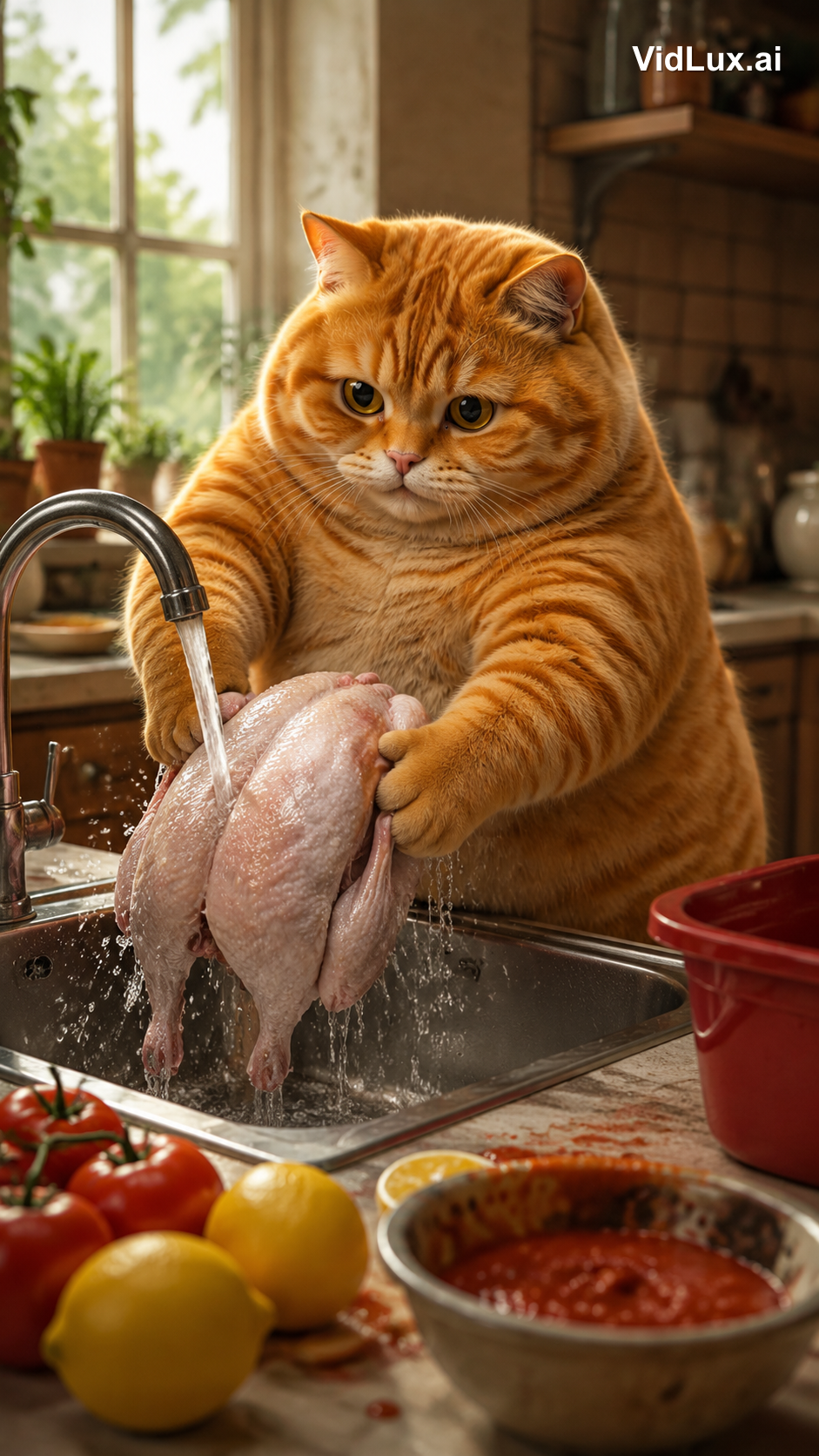
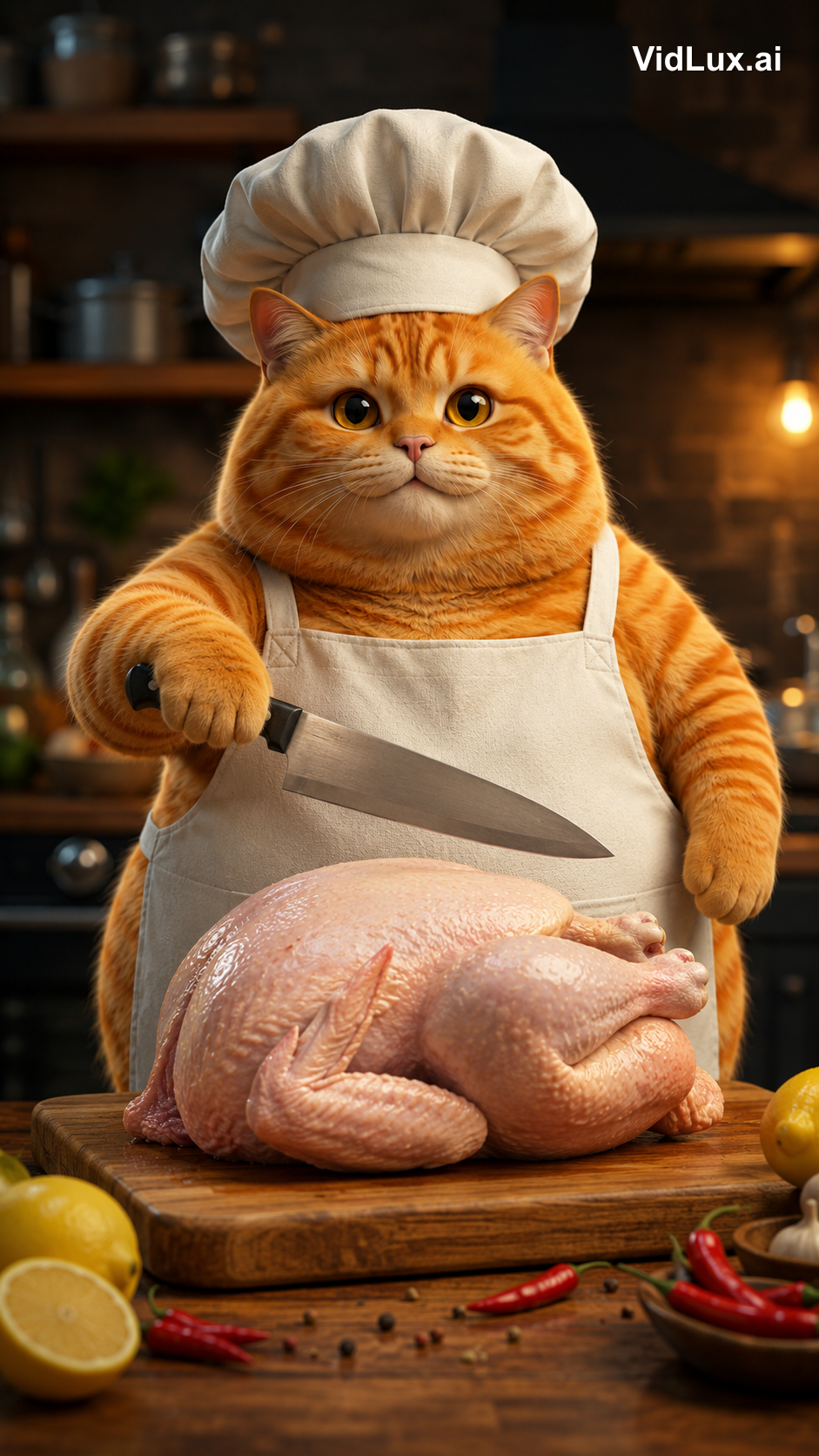
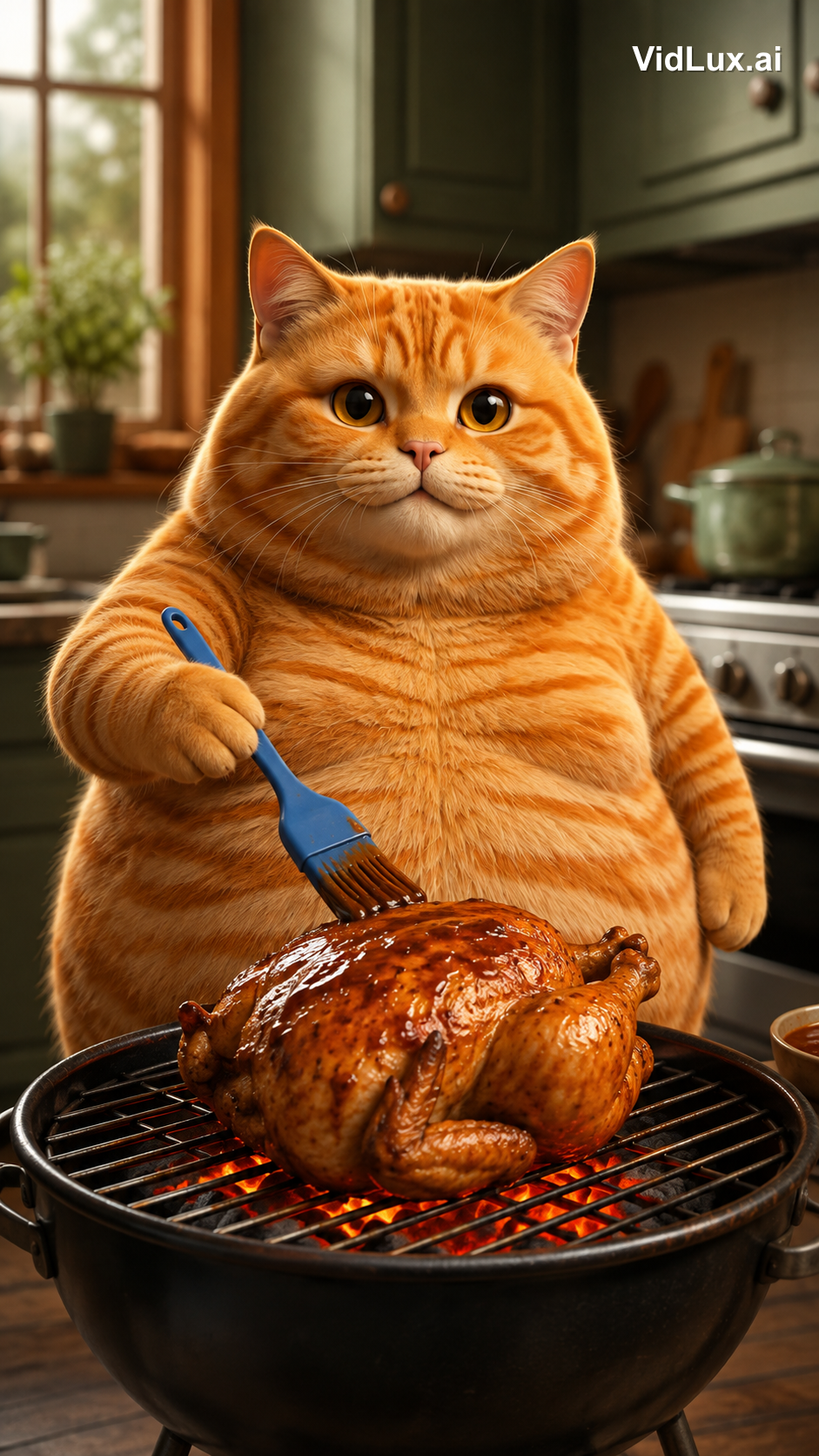
4개 장면 프롬프트 모두 보기
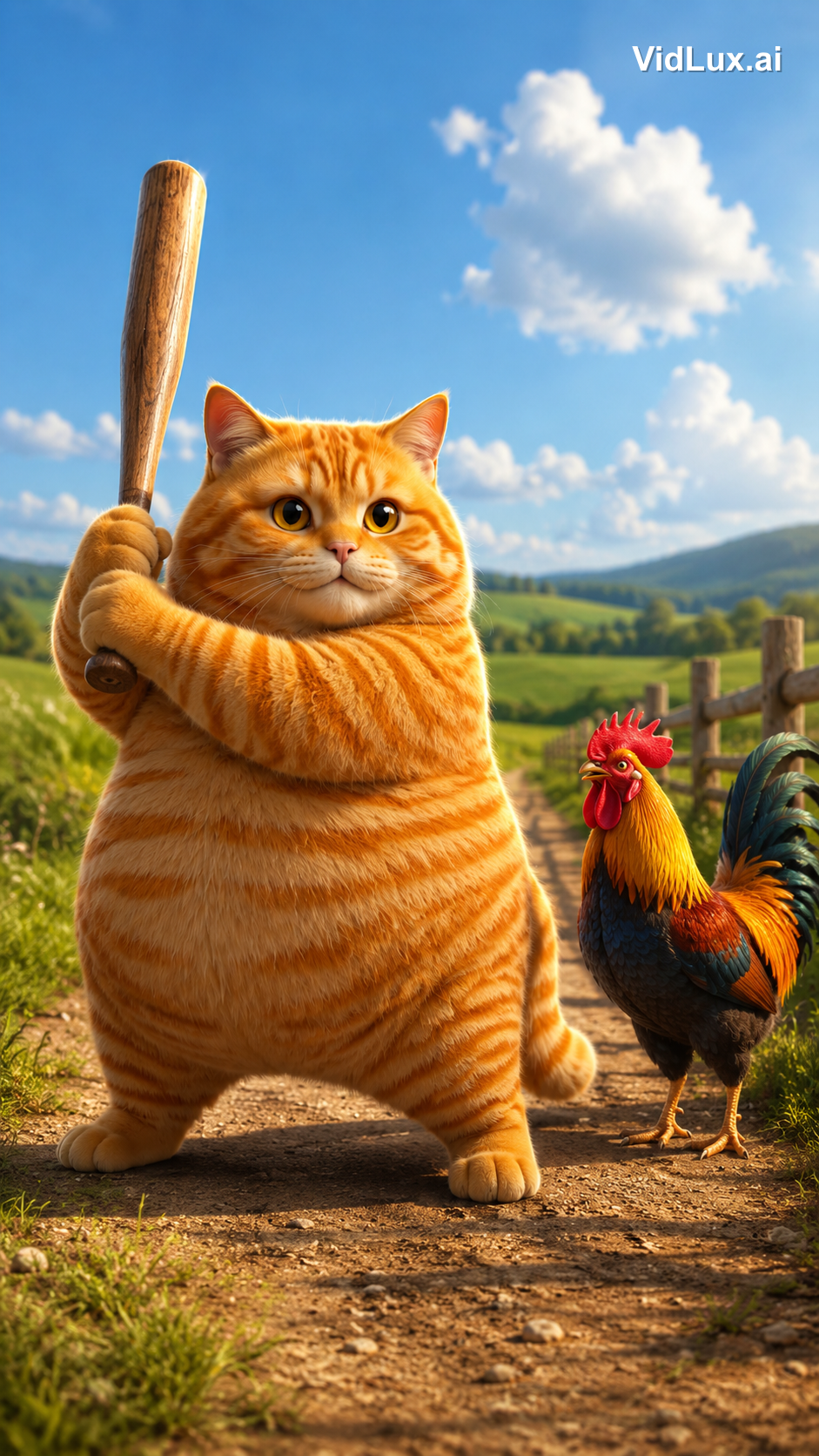
Scene 1 (knockout):
Using the exact same chubby orange tabby cat from the reference images: the fat orange tabby cat stands on a dirt path in a sunny countryside field, holding a wooden baseball bat with both paws, ready to swing, a colorful rooster standing beside it looking on, green fields, distant hills, blue sky with white clouds, wooden fence. Photorealistic anthropomorphic animal CGI, movie-quality fur rendering with subsurface scattering, cinematic lighting, premium animated movie character look, vibrant and warm, 9:16 vertical composition, no text, no logos, no watermark.
Scene 2 (washing):
Using the exact same chubby orange tabby cat from the reference images: the fat orange tabby cat stands at a metal kitchen sink, holding a whole skinned pink-white raw chicken with both paws under running water from the faucet, washing the chicken, water splashing, lemons and tomatoes with red sauce on the counter beside the sink, a red container nearby, bright kitchen background with window, plants and shelves, cozy warm atmosphere. Photorealistic anthropomorphic animal CGI, movie-quality fur rendering, cinematic lighting, vibrant and warm, 9:16 vertical composition, no text, no logos, no watermark.
Scene 3 (chopping):
Using the exact same chubby orange tabby cat from the reference images: the fat orange tabby cat wearing a white chef hat and apron stands at the kitchen counter, a WHOLE skinned raw chicken lying on the wooden cutting board in front of it, the cat holding a kitchen knife in one paw raised over the whole chicken ready to cut, lemon and chili peppers around the board, blurred kitchen background with pots and shelves. Photorealistic anthropomorphic animal CGI, movie-quality fur rendering, cinematic lighting, vibrant and warm, 9:16 vertical composition, no text, no logos, no watermark.
Scene 4 (grilling):
Using the exact same chubby orange tabby cat from the reference images: the fat orange tabby cat standing at a grill in the kitchen, holding a blue brush basting sauce over a roasting chicken on the grill with glowing charcoal below, kitchen cabinets and stove in the background. Photorealistic anthropomorphic animal CGI, movie-quality fur rendering, cinematic lighting, vibrant and warm, 9:16 vertical composition, no text, no logos, no watermark.
(All 4 scene prompts share the same structure: the same cat + scene description + the same style suffix.)
3단계: 장면별로 영상 생성하기
키프레임이 확정되면 이미지-투-비디오로 각 장면에 생명을 불어넣습니다. 저는 PixVerse V6(안정 큐, 저비용)를 사용했고 장면당 4초로 생성했습니다. 해당 장면 이미지를 그대로 업로드하세요 — 턴어라운드 시트의 역할은 여기서 끝입니다. 시트는 장면 이미지에서 고양이를 일관되게 유지해 줄 뿐이죠. 장면 이미지에서 영상으로 넘어갈 때는 프레임이 이미 확정된 상태이므로 프롬프트는 액션만 설명하면 됩니다.
4개 클립이 각각 어떻게 만들어졌는지 — 입력 키프레임, 전체 영상 프롬프트, 결과물을 정리했습니다:
클립 1: 넉아웃
키프레임은 시골 들판에서 방망이를 치켜든 고양이입니다. 영상 프롬프트는 "타격 지점"을 정확히 지정해야 합니다 — 야구 스윙이 아니라 **방망이 머리(배럴 끝)**로 수탉의 머리를 내리치도록 말이죠:
클립 1 영상 프롬프트 보기
The fat orange tabby cat raises the wooden baseball bat high, then strikes the rooster on the head with the thick barrel end of the bat (the bat head), knocking the rooster out. The rooster wobbles and collapses to the ground, comedic effect, dust puff on impact. The bat head hits the rooster, not the bat shaft. Photorealistic anthropomorphic animal CGI, movie-quality fur rendering, cinematic lighting, vibrant and warm, 9:16 vertical, no text, no logos, no watermark.
클립 2: 세척
키프레임은 싱크대에서 껍질 벗긴 통닭을 씻는 고양이입니다. 영상 프롬프트에는 "씻기"를 넘어 시그니처 순간을 하나 추가했습니다 — 씻은 후 닭을 들어 올려 뽀뽀하는 장면이죠:
클립 2 영상 프롬프트 보기
The fat orange tabby cat washes the whole skinned raw chicken under running water in the metal sink, then after washing, picks up the wet chicken with both paws and gives it a loving kiss on the chicken, eyes closed, sweet expression. Photorealistic anthropomorphic animal CGI, movie-quality fur rendering, cinematic lighting, vibrant and warm, 9:16 vertical, no text, no logos, no watermark.
클립 3: 썰기
키프레임은 셰프 모자를 쓴 고양이가 통닭 위로 칼을 치켜든 모습입니다. 영상 프롬프트에는 "썰기" 전에 한 박자를 추가했습니다 — 먼저 야옹 한 번, 그다음 칼질:
클립 3 영상 프롬프트 보기
The fat orange tabby cat wearing a white chef hat and apron opens its mouth and lets out a single meow, then raises the kitchen knife and starts chopping the whole raw chicken on the wooden cutting board, cutting into the chicken. Photorealistic anthropomorphic animal CGI, movie-quality fur rendering, cinematic lighting, vibrant and warm, 9:16 vertical, no text, no logos, no watermark.
클립 4: 굽기
키프레임은 구운 닭에 소스를 바르는 고양이입니다. 영상 프롬프트는 숯불의 움직임을 강조합니다 — 위에서 소스를 바르고, 아래에서는 숯이 이글거리는 장면:
클립 4 영상 프롬프트 보기
The fat orange tabby cat brushes sauce over the roasting chicken on the grill, glowing charcoal below, flames licking the chicken. Photorealistic anthropomorphic animal CGI, movie-quality fur rendering, cinematic lighting, vibrant and warm, 9:16 vertical, no text, no logos, no watermark.
핵심 인사이트: AI 모델은 프롬프트가 정확한 만큼만 액션을 이해합니다. 액션을 "무엇을, 어떤 부위로, 어떤 결과" 형태로 서술하세요 — 넉아웃이라면 "방망이 머리로 수탉의 머리를 내리쳐 수탉이 쓰러진다", 세척이라면 "껍질 벗긴 통닭, 씻은 뒤 뽀뽀한다"처럼요. 디테일 하나가 빠지면 모델이 제멋대로 상상해 버립니다.
4단계: 편집하고 음악 넣기
각 클립은 4초지만 원본은 장면당 2.2초, 총 8.9초입니다. 원본은 속도가 빨라진 영상이죠 — 모든 액션이 2.2초에 압축되어 있을 만큼 타이트합니다.
그래서 편집에서 두 가지를 했습니다:
- 속도 올리기: 각 클립을 1.8배속으로(4초 → 2.2초). 액션은 그대로 완성되지만 템포가 타이트해집니다. CapCut 같은 편집 도구에는 이럴 때 쓰는 "속도" 조절 기능이 있습니다.
- 이어 붙이기: 배속한 4개 클립을 순서대로 이어 하나의 연속된 영상으로 만듭니다.
마지막으로 음악: 원본은 순수 BGM만 깔려 있고, 저도 같은 신나는 트랙을 사용했습니다. 편집과 음악까지 끝나면 맨 위에 보이는 최종 영상이 완성됩니다.
전체 스펙 비교:
| 항목 | 원본 | 리메이크 |
|---|---|---|
| 길이 | 8.9초 | 9.0초 |
| 비율 | 1080x1920 (9:16) | 720x1280 (9:16) |
| 템포 | 장면 4개 × 2.2초 빠른 컷 | 장면 4개 × 2.2초 빠른 컷 (1.8배속) |
| 캐릭터 | 의인화 주황색 얼룩고양이 | 시네마틱 CGI 주황색 얼룩고양이 (동일 캐릭터) |
| 오디오 | 신나는 BGM | 동일 트랙 |
바이럴 영상 리메이크에 진짜 필요한 것
이 프로젝트에서 얻은 가장 큰 교훈: 어려운 건 생성이 아니라 분석과 설계입니다.
- 만들기 전에 분해하라: 원본의 템포, 콘텐츠, 스타일을 수치화해서 생성의 기준을 세운다
- 캐릭터 일관성이 기본기다: 히어로 이미지 → 턴어라운드 → 장면 이미지 → 영상, 각 단계가 이전 단계를 참조하므로 4개 장면 모두 같은 고양이 — 시청자의 몰입이 깨지지 않는다
- 액션은 신체 부위까지 정확해야 한다: 기절시키기 vs. 휘두르기, 방망이 머리 vs. 방망이 자루, 닭 씻기 vs. 야채 씻기 — 프롬프트에서 한 단어만 달라져도 프레임이 완전히 달라진다
- 화면 비율과 템포를 맞춰라: 키프레임 단계부터 9:16; 빠른 템포는 모델에게 "더 빨리 움직여"라고 하는 게 아니라 편집 단계의 배속에서 나온다
결국 AI는 화가이고, 당신은 감독입니다. 원본의 바이럴 로직(의인화된 동물 + 대비되는 귀여움 + 빠른 템포)을 분석했고, 캐릭터 디자인과 장면 순서, 액션 디테일은 모두 사람의 결정입니다. AI는 그 결정을 프레임으로 바꿔줄 뿐이죠. AI 고양이 영상은 만들기 어렵지 않습니다 — 어려운 건 이 영상처럼 한 고양이를 4개 장면에서 일관되게 유지하는 일입니다.
직접 한번 만들어 보고 싶으신가요? VidLux의 이미지-투-비디오 하나면 충분합니다. 캐릭터 이미지 한 장으로 시작해 이 워크플로우를 따라가면 나만의 바이럴 Cat AI Short를 재현할 수 있습니다.