
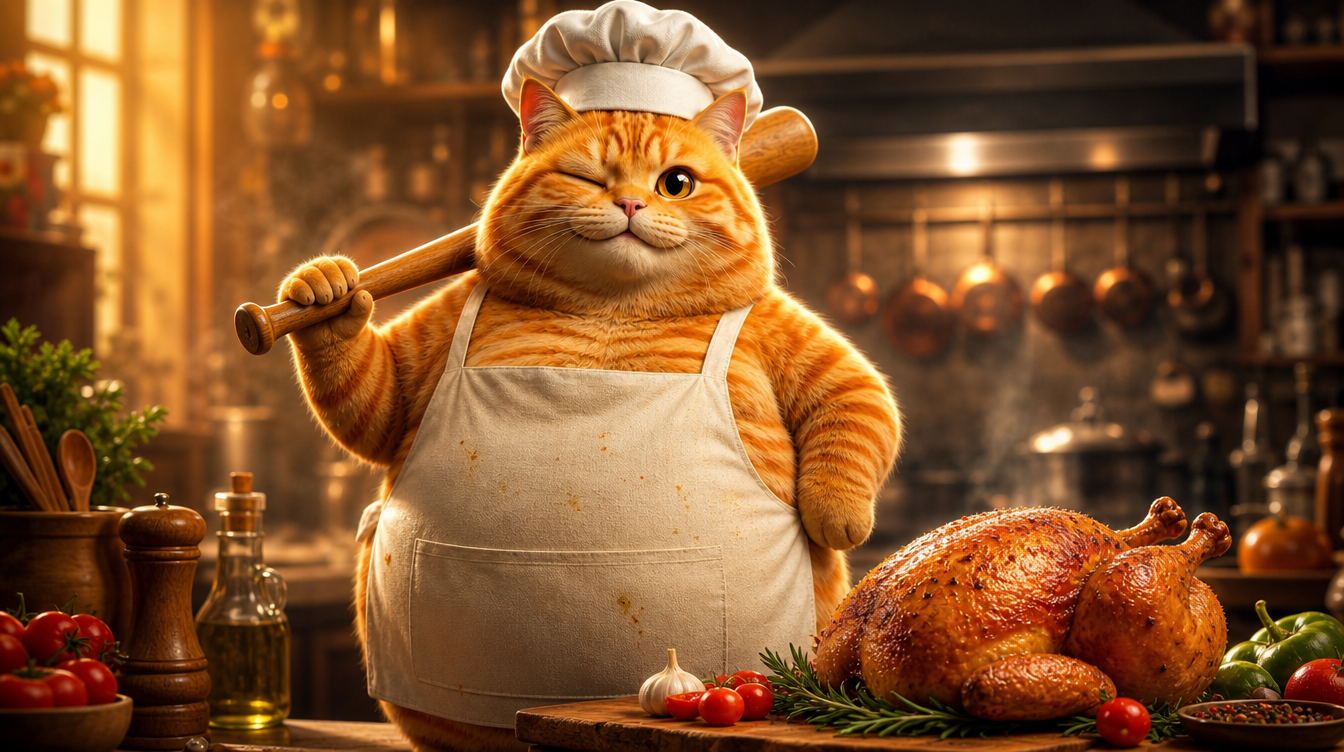
これはYouTubeで1.8億回再生されたバイラルなCat AI Shortです。料理をする茶トラ猫という内容で、擬人化した動物+日常シーン+テンポの速い編集という、典型的なAI生成Shortです。そこで、VidLuxを使ってこの動画を完全に再現してみることにしました。左がオリジナル、右が私たちのリメイクです:
再現とはフレームをコピーすることではなく、制作のロジックを抽出することです。キャラクターの一貫性を保つ方法、テンポのコントロール方法、アクションの指示方法。この記事では、その全プロセスを解説します。
ステップ1:キャラクターを作る——映画級の擬人化茶トラ猫
リメイクの要は、4つのシーンすべてに同じ茶トラ猫を登場させること(鶏を気絶させ、洗い、切り、焼く)。AI動画で最も難しいのが、このキャラクターの一貫性です。
私のアプローチは、ヒーロー画像 → ターンアラウンドシート → シーン画像 → 動画という流れです。
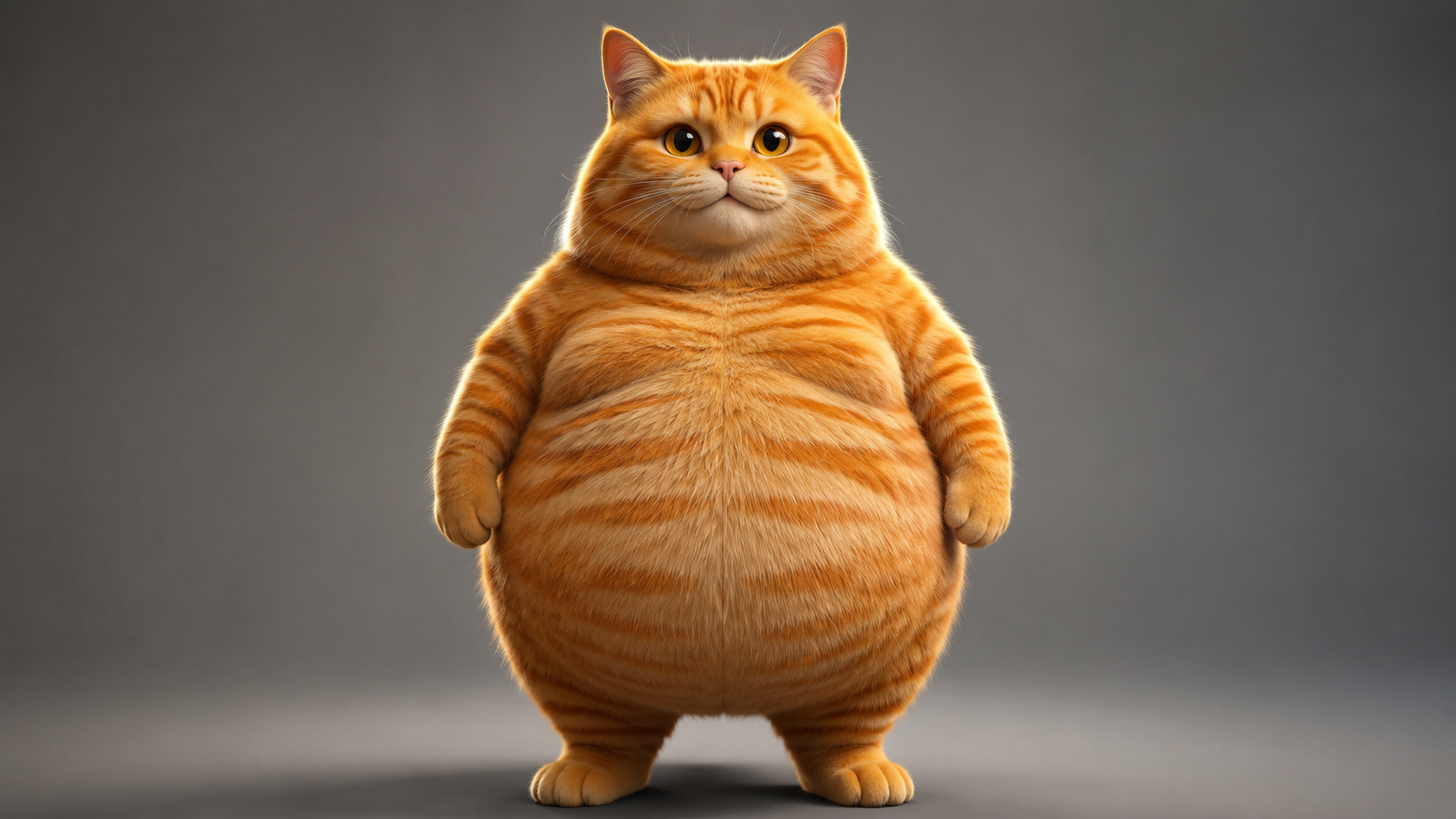
まず、GPT Image 2でヒーロー画像を生成します。目指すスタイルはフォトリアルな擬人化動物CGI——PixarやIlluminationの作品に見られるようなクオリティです。リアルな毛並みのレンダリング、サブサーフェススキャタリング、映画的な照明。そして、ぽっちゃりした猫であることが必須です(丸いお腹こそが魅力)。こうしたCat AIキャラクター画像は、VidLuxの画像生成で直接作れます:
ヒーロー画像のプロンプトを見る
Photorealistic anthropomorphic CGI of a very chubby fat orange tabby cat, standing upright on two legs like a human in a natural relaxed pose, facing the camera, paws relaxed at sides. Movie-quality CGI fur rendering with subsurface scattering, every hair strand visible, realistic orange tabby stripes, big round belly, large expressive amber eyes with soft catchlights. Cinematic studio lighting, gentle rim light, shallow depth of field, premium animated movie character look like a Pixar or Illumination film still. Plain neutral gray studio background, full body visible, character design reference, 16:9, no text, no logos, no watermark.
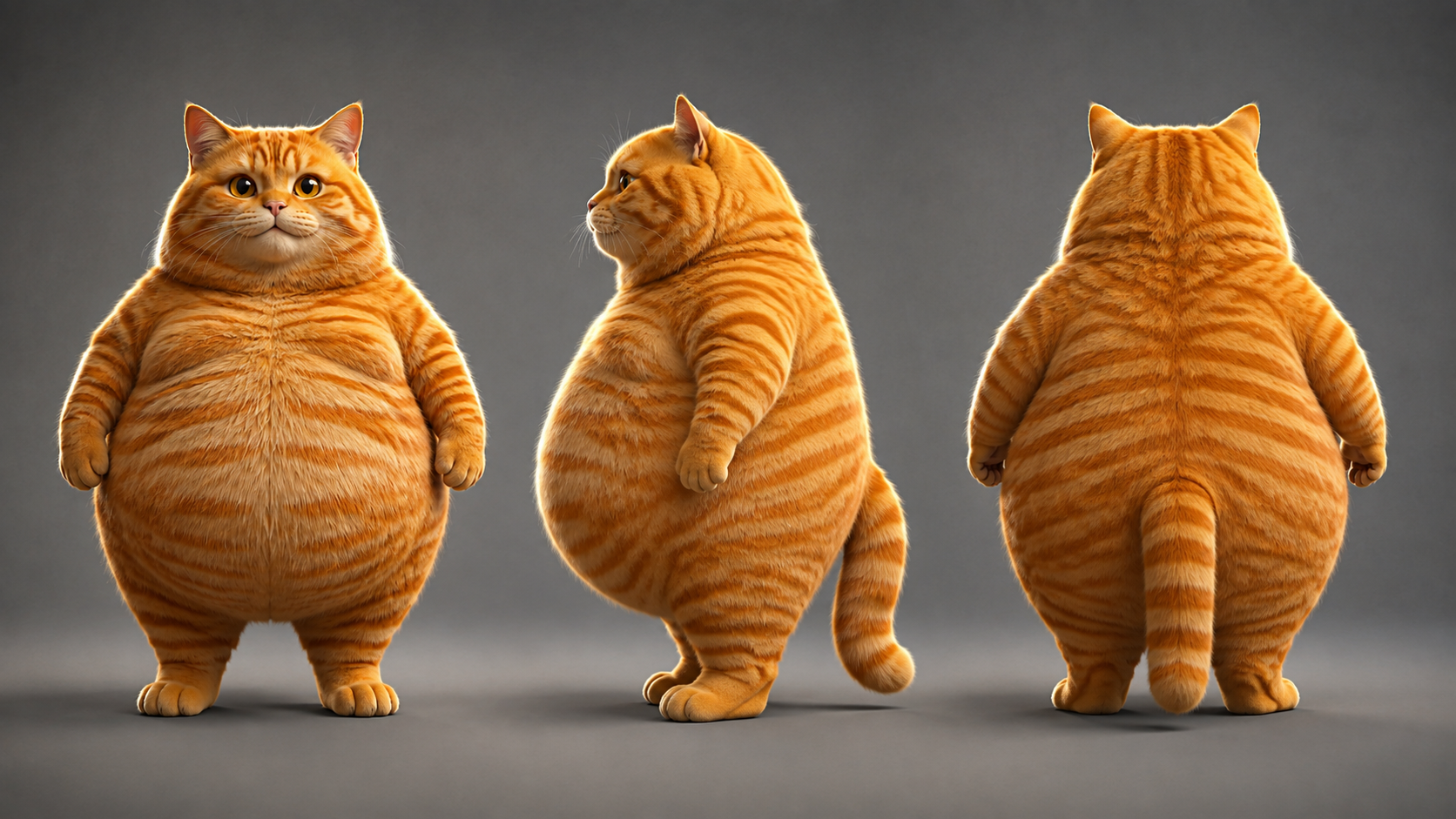
次に、ヒーロー画像を参照にしてターンアラウンドシート(正面/側面/背面を1枚にまとめたもの)を生成します。3つの角度がすべて同じ画像から生まれるため、自然と同じ猫になります。別々に3つの角度を生成して似ていることを願うより、はるかに確実です:
ターンアラウンドシートのプロンプトを見る
Using the exact same chubby orange tabby cat from the reference image: photorealistic anthropomorphic CGI character turnaround sheet showing THREE views of the same fat orange tabby cat standing upright - FRONT view, LEFT SIDE view and BACK view, arranged side by side in a row, all three views identical in proportions, fur pattern, chubby body, height and lighting. Movie-quality CGI fur rendering, cinematic lighting, premium animated movie character look, full body, neutral standing pose, paws at sides, centered, evenly spaced, character design sheet, no text, no logos, no watermark.
ターンアラウンドシートができたら、ここが肝心。4つのシーンキーフレームはすべて、ターンアラウンドシートを参照入力として生成します。そうすれば、すべてのシーンの茶トラ猫が同じ猫になります。
ステップ2:4つのシーンのキーフレームを作る
キャラクターが確定したら、4つのシーンキーフレームを生成します。各シーンはターンアラウンドシートを参照にした画像から画像を使い、プロンプトでシーンの内容を指定します。
アスペクト比はターゲットのフォーマットに合わせる:このShortは9:16の縦型(1080x1920)。そのため、4つのシーンはすべて9:16で生成します。後から比率を調整するのではなく、キーフレームの段階から揃えておくのです:
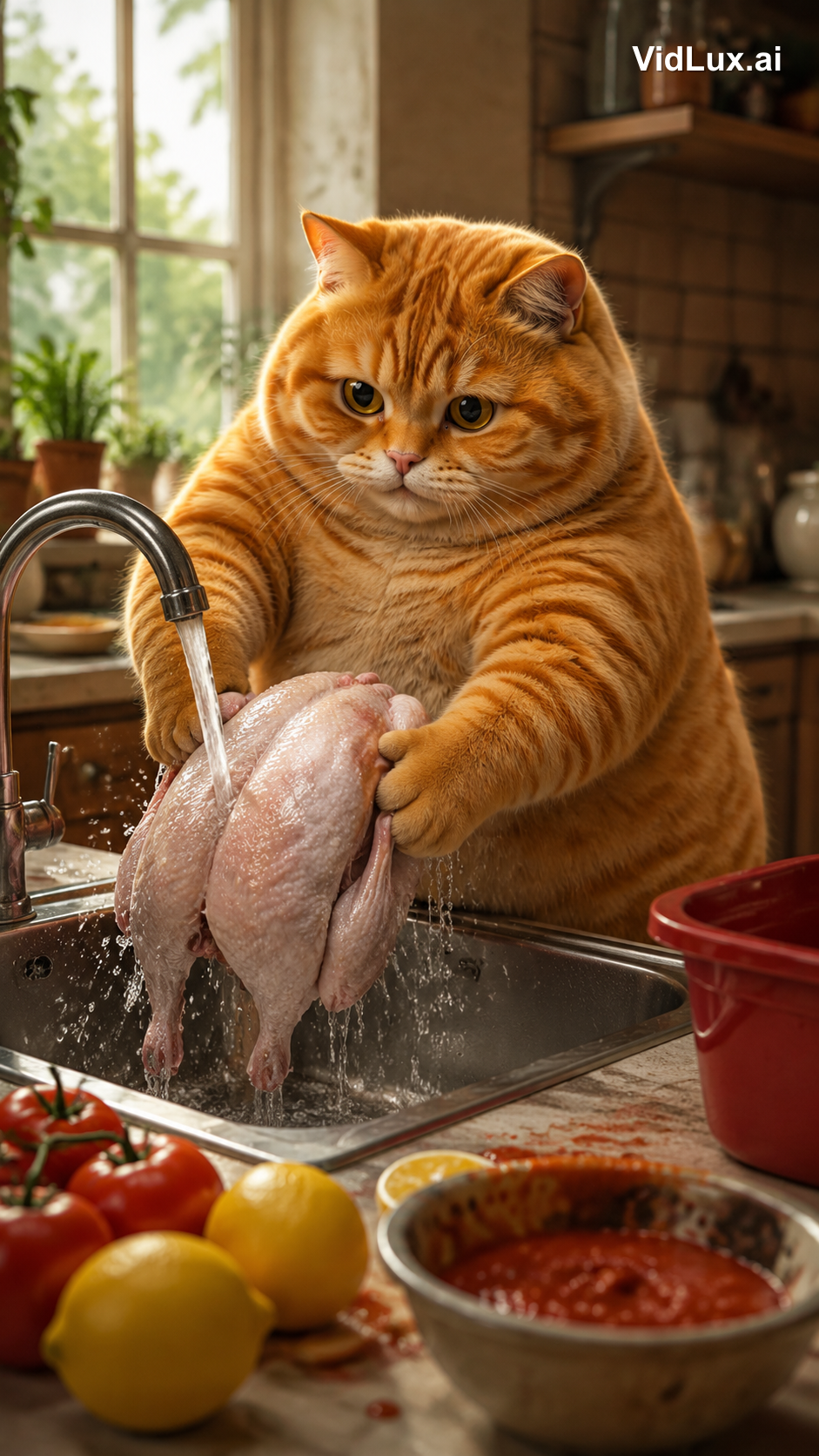
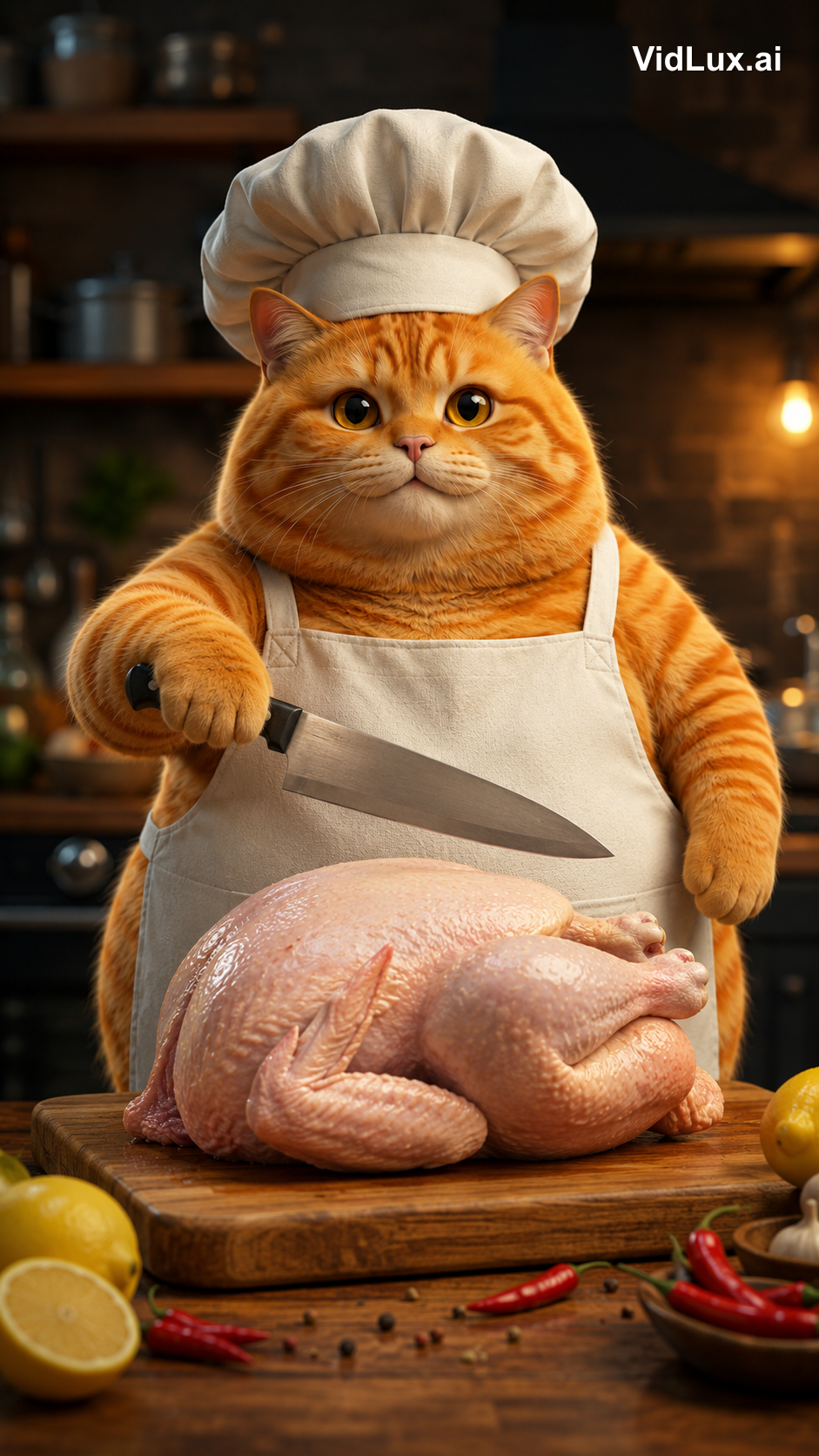
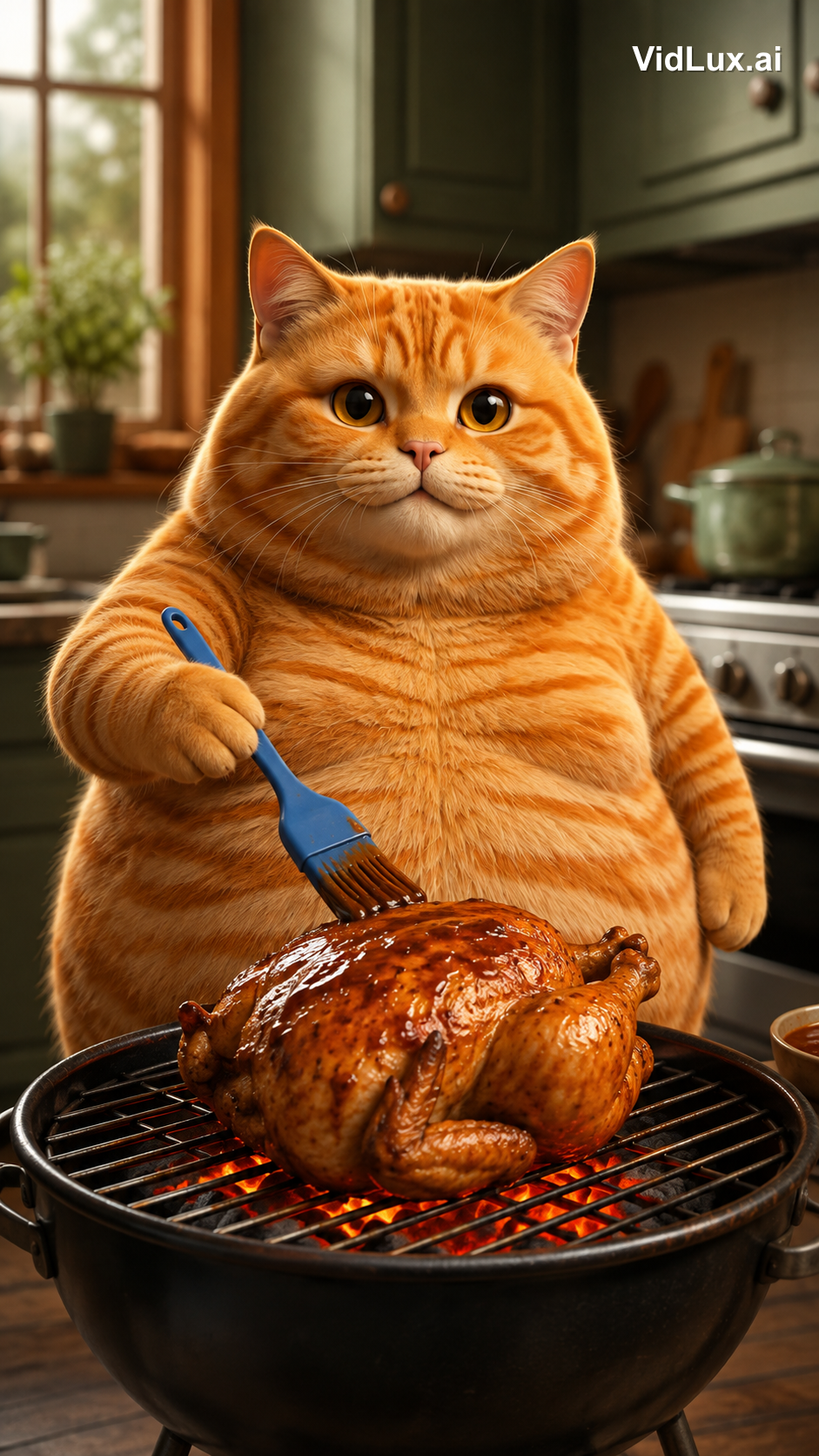
4つのシーンプロンプトをすべて見る
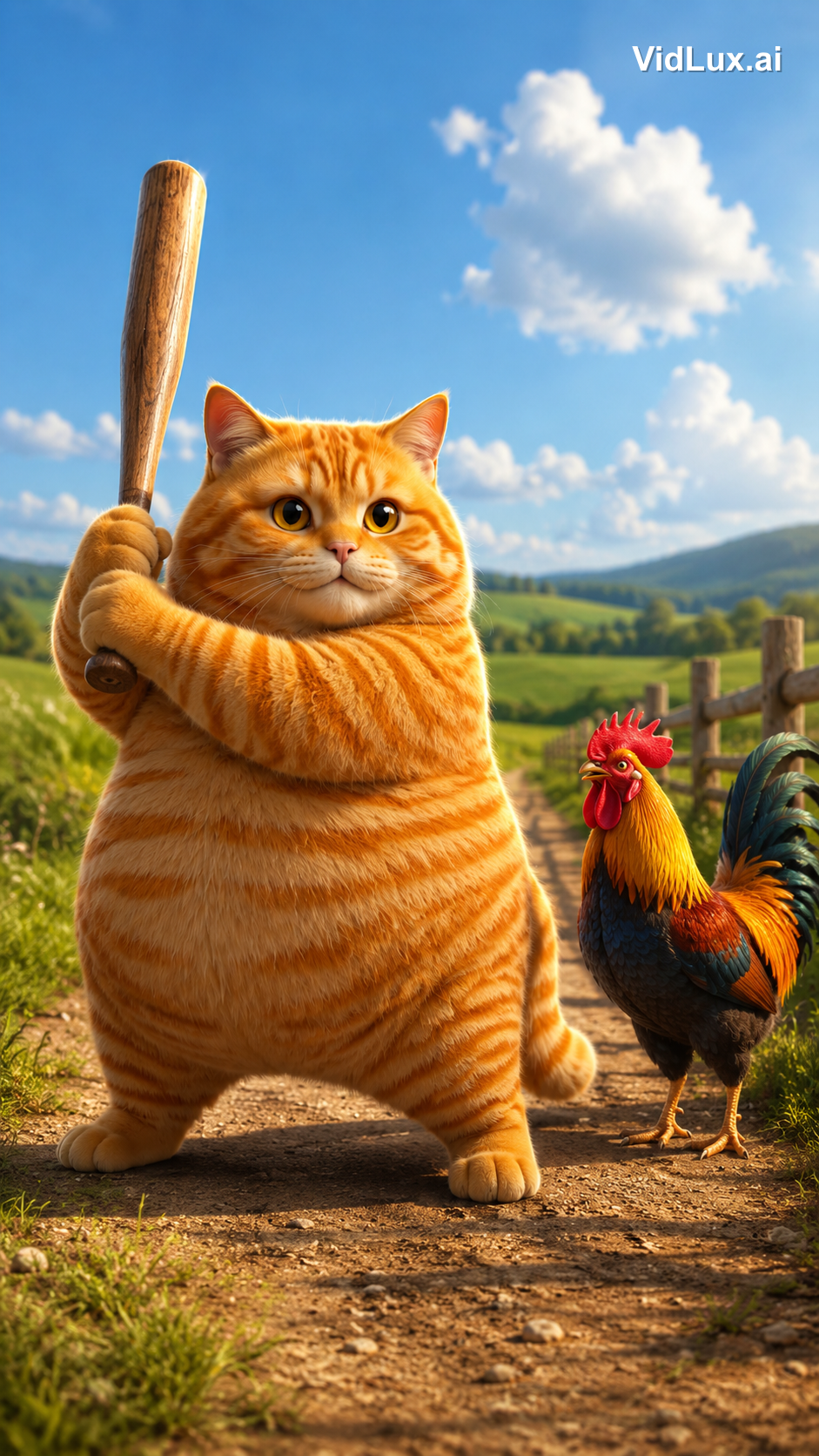
Scene 1 (knockout):
Using the exact same chubby orange tabby cat from the reference images: the fat orange tabby cat stands on a dirt path in a sunny countryside field, holding a wooden baseball bat with both paws, ready to swing, a colorful rooster standing beside it looking on, green fields, distant hills, blue sky with white clouds, wooden fence. Photorealistic anthropomorphic animal CGI, movie-quality fur rendering with subsurface scattering, cinematic lighting, premium animated movie character look, vibrant and warm, 9:16 vertical composition, no text, no logos, no watermark.
Scene 2 (washing):
Using the exact same chubby orange tabby cat from the reference images: the fat orange tabby cat stands at a metal kitchen sink, holding a whole skinned pink-white raw chicken with both paws under running water from the faucet, washing the chicken, water splashing, lemons and tomatoes with red sauce on the counter beside the sink, a red container nearby, bright kitchen background with window, plants and shelves, cozy warm atmosphere. Photorealistic anthropomorphic animal CGI, movie-quality fur rendering, cinematic lighting, vibrant and warm, 9:16 vertical composition, no text, no logos, no watermark.
Scene 3 (chopping):
Using the exact same chubby orange tabby cat from the reference images: the fat orange tabby cat wearing a white chef hat and apron stands at the kitchen counter, a WHOLE skinned raw chicken lying on the wooden cutting board in front of it, the cat holding a kitchen knife in one paw raised over the whole chicken ready to cut, lemon and chili peppers around the board, blurred kitchen background with pots and shelves. Photorealistic anthropomorphic animal CGI, movie-quality fur rendering, cinematic lighting, vibrant and warm, 9:16 vertical composition, no text, no logos, no watermark.
Scene 4 (grilling):
Using the exact same chubby orange tabby cat from the reference images: the fat orange tabby cat standing at a grill in the kitchen, holding a blue brush basting sauce over a roasting chicken on the grill with glowing charcoal below, kitchen cabinets and stove in the background. Photorealistic anthropomorphic animal CGI, movie-quality fur rendering, cinematic lighting, vibrant and warm, 9:16 vertical composition, no text, no logos, no watermark.
(All 4 scene prompts share the same structure: the same cat + scene description + the same style suffix.)
ステップ3:シーンごとに動画を生成する
キーフレームが確認できたら、画像から動画で各シーンに命を吹き込みます。今回はPixVerse V6(安定キュー・低コスト)を使い、シーンあたり4秒で生成しました。対応するシーン画像をそのままアップロードします。ターンアラウンドシートの役目はここまでで、シーン画像内で猫の一貫性を保つためだけに使われます。シーン画像から動画への変換では、フレームはすでに確定しているため、プロンプトはアクションを指定するだけで十分です。
4つのクリップがそれぞれどう作られたか、入力キーフレーム、動画プロンプト全文、そして結果を見ていきます:
クリップ1:ノックアウト
キーフレームは、田園風景の中でバットを振り上げる猫です。動画プロンプトでは「打点」を正確に指定する必要があります。野球のスイングではなく、バットの先端でニワトリの頭を叩く、と:
クリップ1の動画プロンプトを見る
The fat orange tabby cat raises the wooden baseball bat high, then strikes the rooster on the head with the thick barrel end of the bat (the bat head), knocking the rooster out. The rooster wobbles and collapses to the ground, comedic effect, dust puff on impact. The bat head hits the rooster, not the bat shaft. Photorealistic anthropomorphic animal CGI, movie-quality fur rendering, cinematic lighting, vibrant and warm, 9:16 vertical, no text, no logos, no watermark.
クリップ2:洗う
キーフレームは、シンクで皮をむいた鶏丸ごとを洗う猫です。動画プロンプトでは「洗う」だけでなく、特徴的なワンシーンを追加します。洗った後、鶏を持ち上げてキスをする、と:
クリップ2の動画プロンプトを見る
The fat orange tabby cat washes the whole skinned raw chicken under running water in the metal sink, then after washing, picks up the wet chicken with both paws and gives it a loving kiss on the chicken, eyes closed, sweet expression. Photorealistic anthropomorphic animal CGI, movie-quality fur rendering, cinematic lighting, vibrant and warm, 9:16 vertical, no text, no logos, no watermark.
クリップ3:切る
キーフレームは、シェフ帽をかぶった猫が鶏丸ごとの上に包丁を振り上げるシーンです。動画プロンプトでは「切る」前に一拍を加えます。まず一度ニャーと鳴く、それから切る、と:
クリップ3の動画プロンプトを見る
The fat orange tabby cat wearing a white chef hat and apron opens its mouth and lets out a single meow, then raises the kitchen knife and starts chopping the whole raw chicken on the wooden cutting board, cutting into the chicken. Photorealistic anthropomorphic animal CGI, movie-quality fur rendering, cinematic lighting, vibrant and warm, 9:16 vertical, no text, no logos, no watermark.
クリップ4:焼く
キーフレームは、焼き上がった鶏にタレを塗る猫です。動画プロンプトでは炭の動きを強調します。タレを塗る、下の炭が赤く燃える、と:
クリップ4の動画プロンプトを見る
The fat orange tabby cat brushes sauce over the roasting chicken on the grill, glowing charcoal below, flames licking the chicken. Photorealistic anthropomorphic animal CGI, movie-quality fur rendering, cinematic lighting, vibrant and warm, 9:16 vertical, no text, no logos, no watermark.
**重要な気づき:AIモデルが理解できるアクションの精度は、プロンプトの精度次第です。**アクションは「何を、どの部分で、どうなるか」の形で記述しましょう。ノックアウトなら「バットの先端でニワトリの頭を叩き、ニワトリが倒れる」、洗うシーンなら「皮をむいた鶏丸ごと、洗った後にキスをする」のように。1つのディテールが欠けるだけで、モデルは勝手にアドリブを始めます。
ステップ4:編集して音楽を追加する
各クリップは4秒ですが、オリジナルはシーンあたり2.2秒で合計8.9秒です。オリジナルはスピードアップされています。すべてのアクションが2.2秒に圧縮されており、非常にテンポが速いのです。
そこで編集では、次の2つを行いました:
- スピードアップ:各クリップを1.8倍速に(4秒→2.2秒)。アクションはそのままに、テンポを引き締めます。CapCutなどの編集アプリには「速度」コントロールがあります。
- 連結:スピードアップした4つのクリップを順番につなぎ、1本の連続した動画にします。
最後に音楽です。オリジナルはBGMのみ。同じアップビートなトラックを使用しました。編集と音楽を終えて完成したのが、冒頭の動画です。
スペックの完全比較:
| 項目 | オリジナル | リメイク |
|---|---|---|
| 尺 | 8.9秒 | 9.0秒 |
| アスペクト比 | 1080x1920(9:16) | 720x1280(9:16) |
| テンポ | 4シーン × 2.2秒の高速カット | 4シーン × 2.2秒の高速カット(1.8倍速) |
| キャラクター | 擬人化した茶トラ猫 | 映画級CGIの茶トラ猫(同一キャラ) |
| 音声 | アップビートなBGM | 同じトラック |
バイラル動画の再現に本当に必要なもの
このプロジェクトから得た最大の教訓:難しいのは生成ではなく、分析と設計です。
- 作る前に分解する:オリジナルのテンポ、内容、スタイルを数値化して、生成の土台を固める
- キャラクターの一貫性が土台:ヒーロー画像→ターンアラウンド→シーン画像→動画と、各ステップで前の成果物を参照にする。これで4つのシーンすべてが同じ猫になり、視聴者が没入を途切れさせることがない
- アクションは部位まで正確に:気絶させる vs. 振り回す、バットの先端 vs. バットの柄、鶏を洗う vs. 野菜を洗う。プロンプトの1語の違いで、フレームはまったく別のものになる
- アスペクト比とテンポを最初から揃える:9:16はキーフレームの段階から。テンポの速さは編集でのスピードアップが生み出すもので、モデルに「もっと速く動いて」と指示してもダメ
**結局のところ、AIは絵描きであり、あなたは監督です。**オリジナルのバイラルロジック(擬人化した動物+ギャップ萌えの可愛さ+テンポの速さ)を分析し、キャラクターデザイン、シーンの順序、アクションの細部はすべて人間の判断です。AIはその判断をフレームに変えるだけ。AI猫動画の制作自体は難しくありません。難しいのは、この動画のように4つのシーンにわたって同じ猫を保つことです。
自分でも作ってみたいですか?必要なのはVidLuxの画像から動画だけです。キャラクター画像を1枚用意して、このワークフローに沿えば、あなただけのバイラルCat AI Shortを再現できます。