
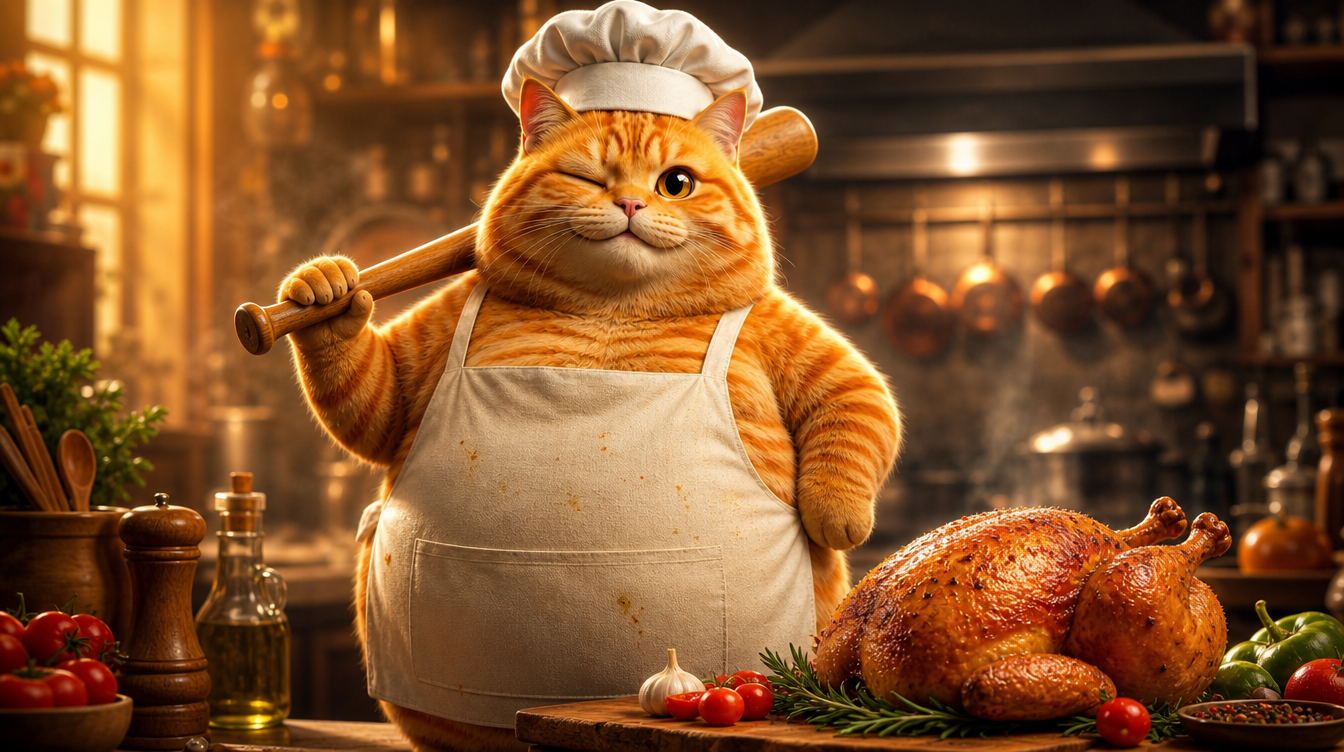
Voici un Short Cat AI à 180 M de vues devenu viral sur YouTube : un chat tigré orange qui cuisine. C’est un Short généré par IA typique — animal anthropomorphe + scène du quotidien + rythme rapide. J’ai donc décidé de le recréer entièrement avec VidLux. À gauche, l’original ; à droite, notre remake :
Recréer, ce n’est pas copier les images — c’est extraire la logique de production : comment garder un personnage cohérent, comment contrôler le rythme, comment diriger les actions. Cet article vous détaille tout le processus.
Étape 1 : créer le personnage — un chat tigré orange anthropomorphe cinématographique
Le cœur du remake, c’est le même chat tigré orange sur 4 scènes (assommer le poulet, le laver, le couper, le griller). C’est la partie la plus difficile de la vidéo IA : la cohérence du personnage.
Mon approche : image hero → feuille de turnaround → images de scène → vidéo.
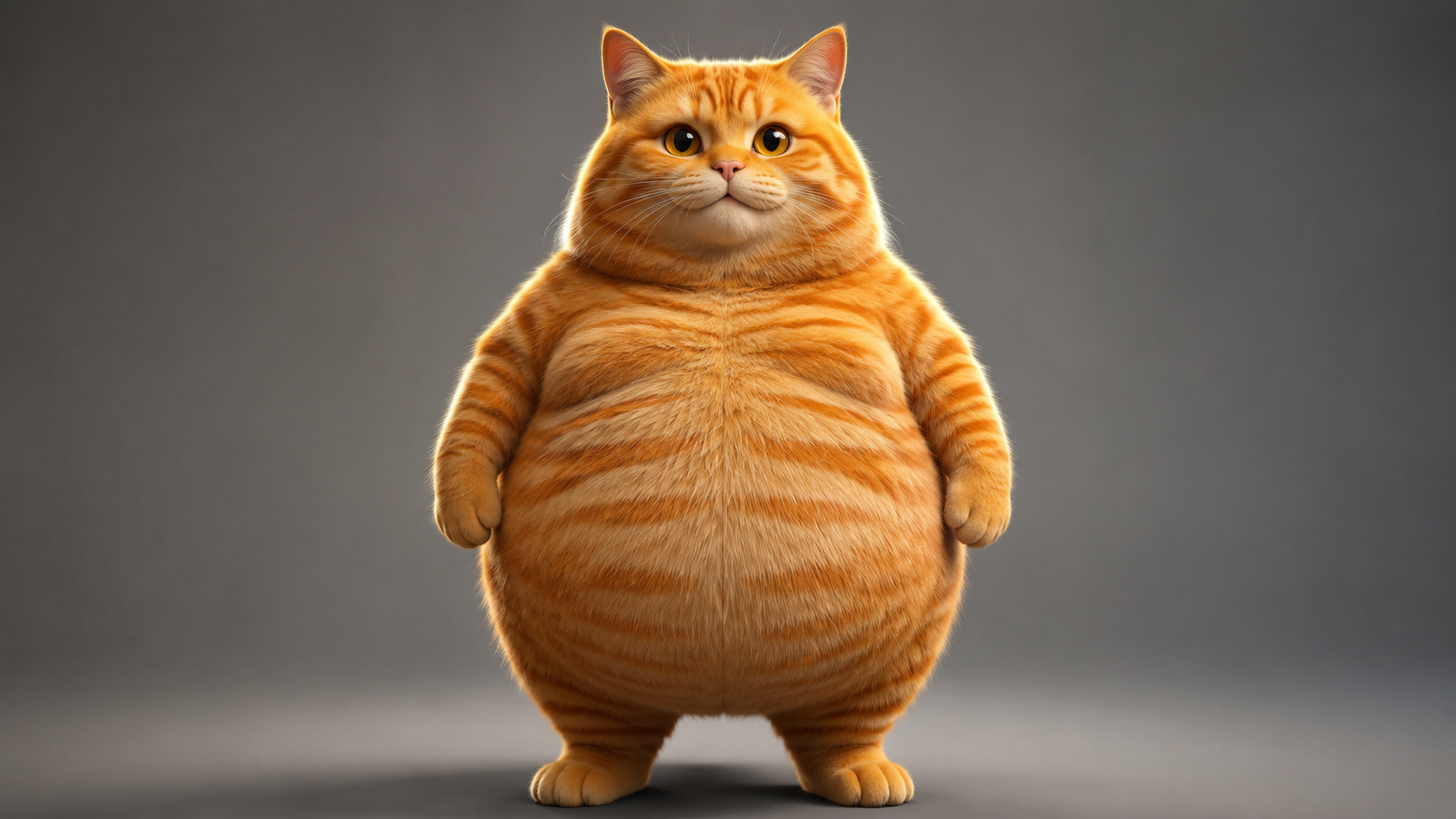
Commencez par générer l’image hero avec GPT Image 2. Le style visé est la CGI anthropomorphe photoréaliste — le niveau de qualité qu’on voit chez Pixar ou Illumination : rendu de fourrure réaliste, subsurface scattering, éclairage cinématographique. Et il faut que ce soit un chat bien rond (c’est le ventre rebondi qui fait tout le charme). Ce type d’image de personnage Cat AI peut se créer directement avec la génération d’images de VidLux :
Voir le prompt de l’image hero
Photorealistic anthropomorphic CGI of a very chubby fat orange tabby cat, standing upright on two legs like a human in a natural relaxed pose, facing the camera, paws relaxed at sides. Movie-quality CGI fur rendering with subsurface scattering, every hair strand visible, realistic orange tabby stripes, big round belly, large expressive amber eyes with soft catchlights. Cinematic studio lighting, gentle rim light, shallow depth of field, premium animated movie character look like a Pixar or Illumination film still. Plain neutral gray studio background, full body visible, character design reference, 16:9, no text, no logos, no watermark.
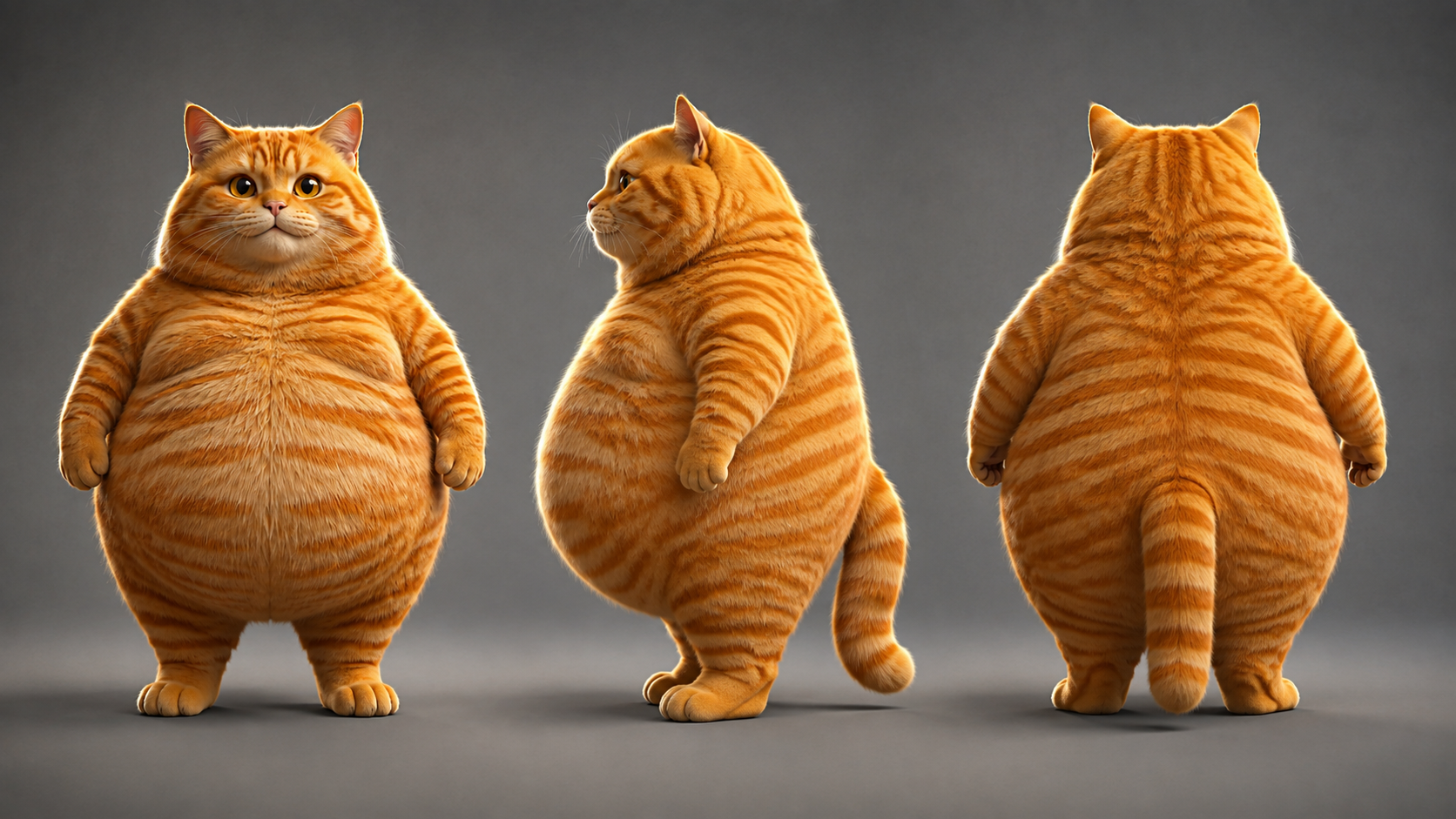
Utilisez ensuite l’image hero comme référence pour générer une feuille de turnaround (face / profil / dos sur une seule image). Comme les trois angles proviennent de la même image, c’est naturellement le même chat — bien plus fiable que de générer trois angles séparément en espérant qu’ils se ressemblent :
Voir le prompt de la feuille de turnaround
Using the exact same chubby orange tabby cat from the reference image: photorealistic anthropomorphic CGI character turnaround sheet showing THREE views of the same fat orange tabby cat standing upright - FRONT view, LEFT SIDE view and BACK view, arranged side by side in a row, all three views identical in proportions, fur pattern, chubby body, height and lighting. Movie-quality CGI fur rendering, cinematic lighting, premium animated movie character look, full body, neutral standing pose, paws at sides, centered, evenly spaced, character design sheet, no text, no logos, no watermark.
Une fois la feuille de turnaround prête, voici le point clé : les 4 keyframes de scène sont générés avec la feuille de turnaround comme référence, pour que le chat tigré orange soit le même chat dans chaque scène.
Étape 2 : les keyframes des 4 scènes
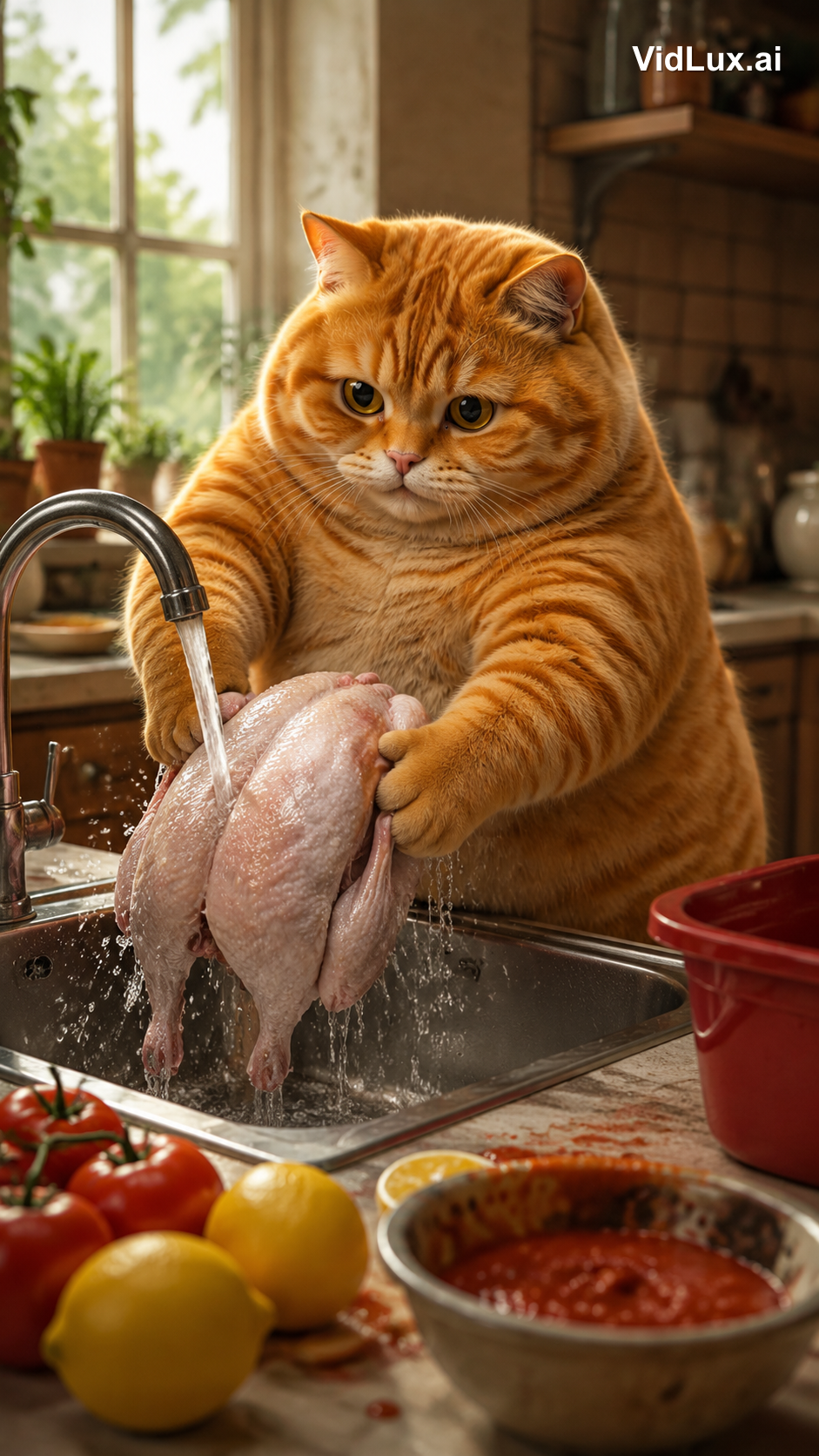
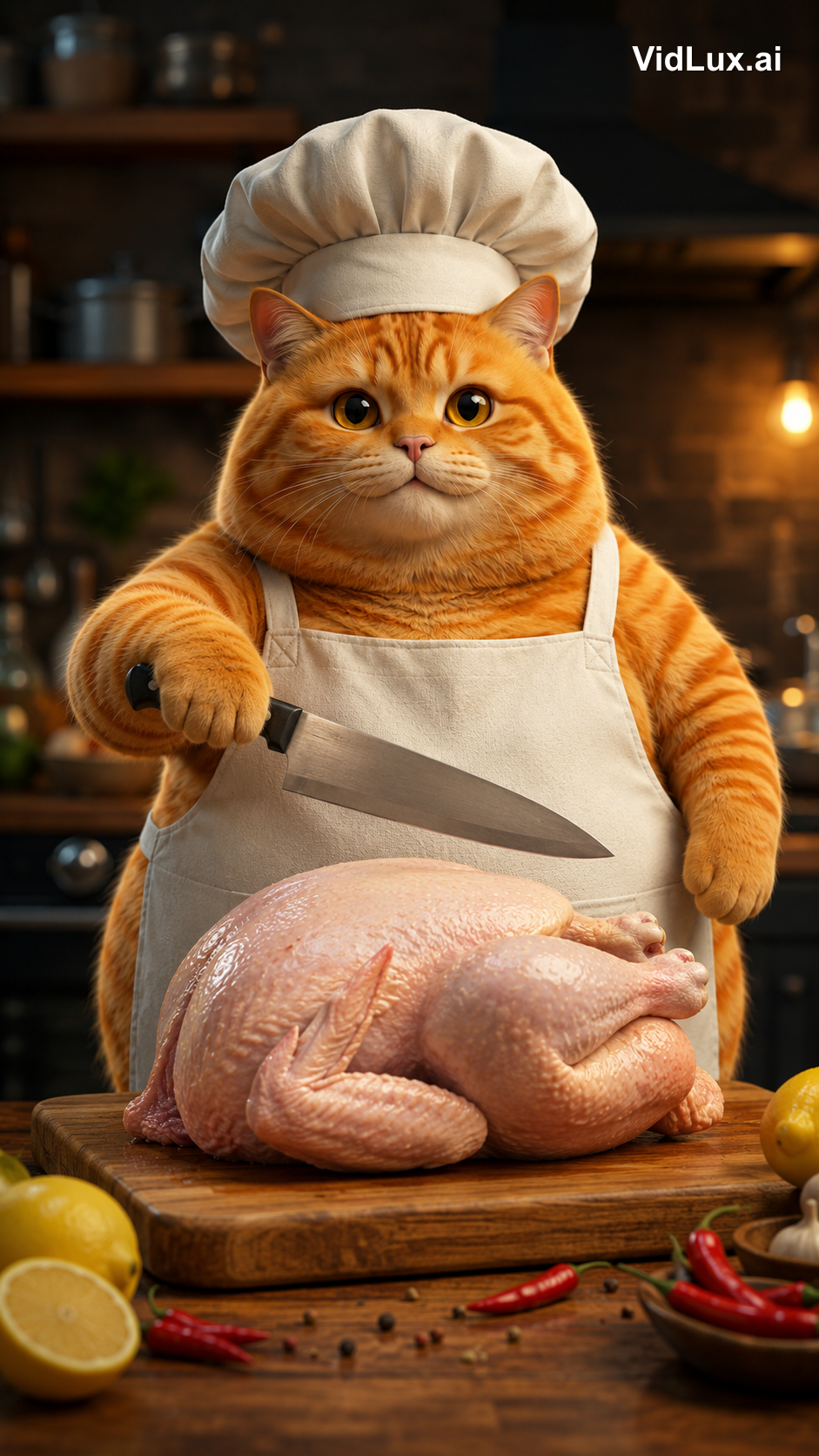
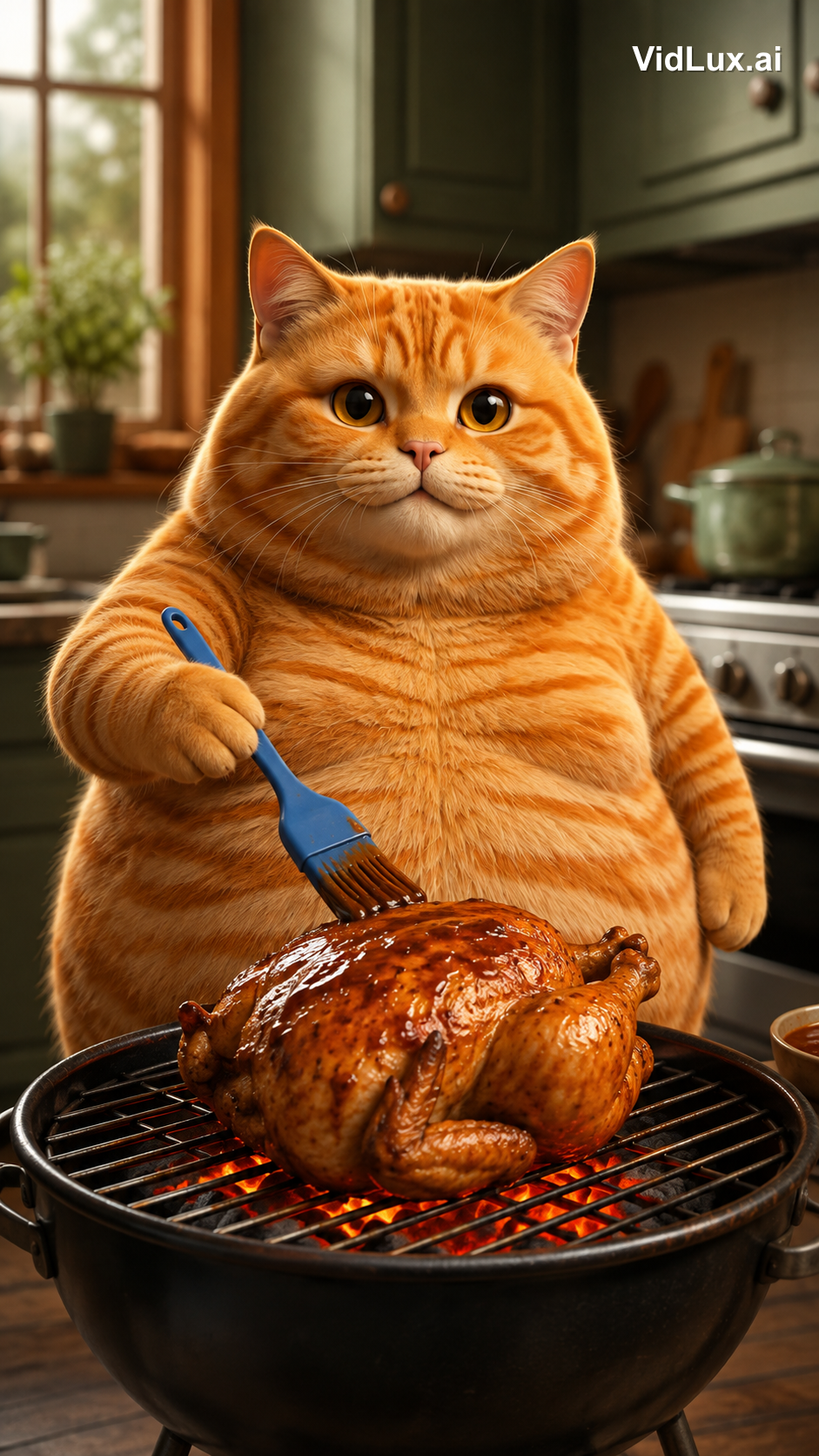
Une fois le personnage finalisé, générez les 4 keyframes de scène. Chaque scène utilise l’image-to-image avec la feuille de turnaround comme référence, et le prompt décrit le contenu de la scène.
Alignez le format d’image sur le format cible : ce Short est en 9:16 vertical (1080×1920), donc les 4 scènes sont générées en 9:16 — le cadrage est aligné dès l’étape des keyframes plutôt que d’ajuster le ratio après coup :
Voir les 4 prompts de scène
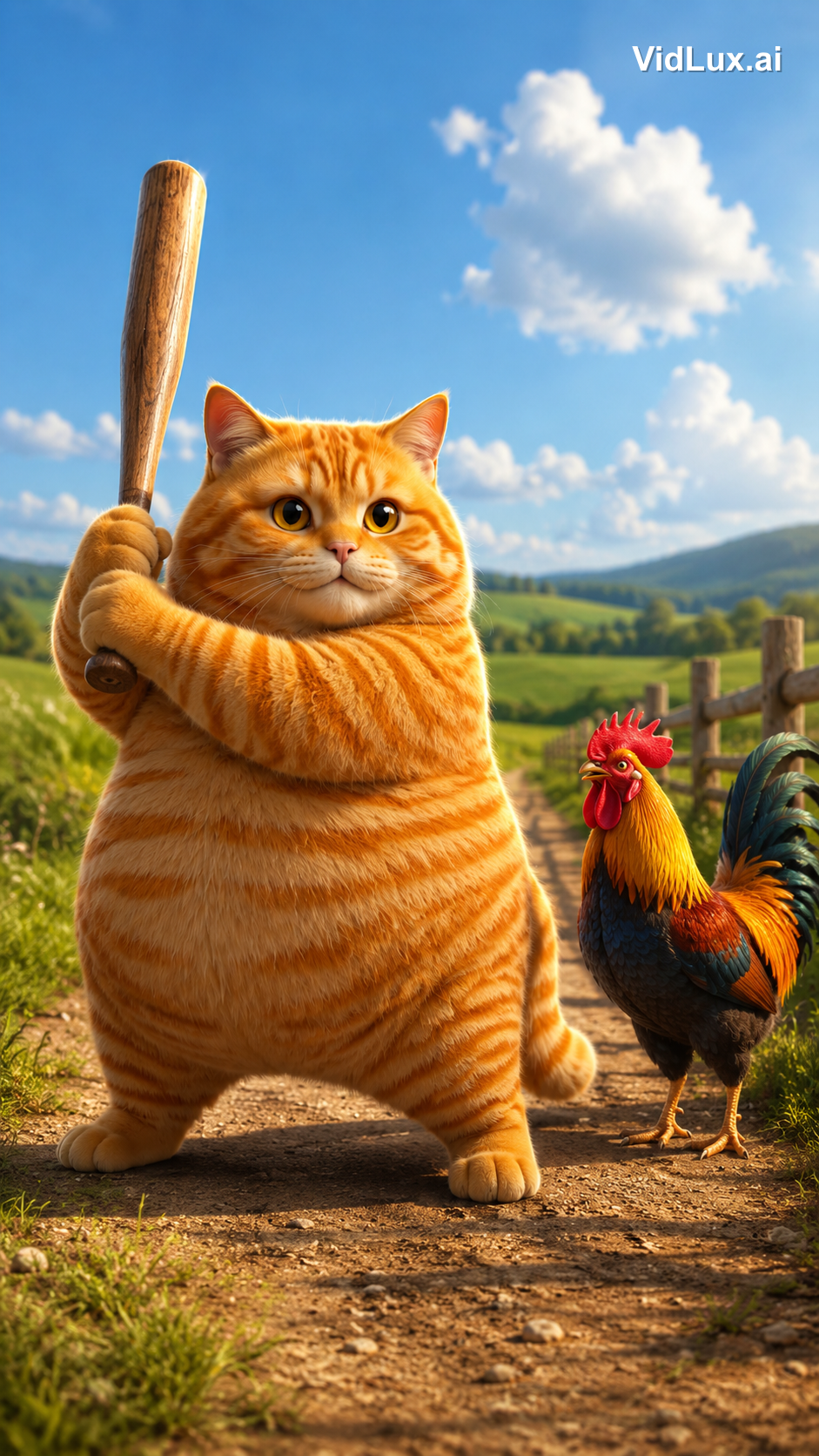
Scene 1 (knockout):
Using the exact same chubby orange tabby cat from the reference images: the fat orange tabby cat stands on a dirt path in a sunny countryside field, holding a wooden baseball bat with both paws, ready to swing, a colorful rooster standing beside it looking on, green fields, distant hills, blue sky with white clouds, wooden fence. Photorealistic anthropomorphic animal CGI, movie-quality fur rendering with subsurface scattering, cinematic lighting, premium animated movie character look, vibrant and warm, 9:16 vertical composition, no text, no logos, no watermark.
Scene 2 (washing):
Using the exact same chubby orange tabby cat from the reference images: the fat orange tabby cat stands at a metal kitchen sink, holding a whole skinned pink-white raw chicken with both paws under running water from the faucet, washing the chicken, water splashing, lemons and tomatoes with red sauce on the counter beside the sink, a red container nearby, bright kitchen background with window, plants and shelves, cozy warm atmosphere. Photorealistic anthropomorphic animal CGI, movie-quality fur rendering, cinematic lighting, vibrant and warm, 9:16 vertical composition, no text, no logos, no watermark.
Scene 3 (chopping):
Using the exact same chubby orange tabby cat from the reference images: the fat orange tabby cat wearing a white chef hat and apron stands at the kitchen counter, a WHOLE skinned raw chicken lying on the wooden cutting board in front of it, the cat holding a kitchen knife in one paw raised over the whole chicken ready to cut, lemon and chili peppers around the board, blurred kitchen background with pots and shelves. Photorealistic anthropomorphic animal CGI, movie-quality fur rendering, cinematic lighting, vibrant and warm, 9:16 vertical composition, no text, no logos, no watermark.
Scene 4 (grilling):
Using the exact same chubby orange tabby cat from the reference images: the fat orange tabby cat standing at a grill in the kitchen, holding a blue brush basting sauce over a roasting chicken on the grill with glowing charcoal below, kitchen cabinets and stove in the background. Photorealistic anthropomorphic animal CGI, movie-quality fur rendering, cinematic lighting, vibrant and warm, 9:16 vertical composition, no text, no logos, no watermark.
(All 4 scene prompts share the same structure: the same cat + scene description + the same style suffix.)
Étape 3 : générer la vidéo scène par scène
Une fois les keyframes validés, utilisez l’image-to-video pour donner vie à chaque scène. J’ai utilisé PixVerse V6 (file stable, coût faible), 4 secondes par scène. Importez directement l’image de scène correspondante — le travail de la feuille de turnaround s’arrête là ; elle ne sert qu’à garder le chat cohérent dans les images de scène. De l’image de scène à la vidéo, le plan est déjà définitif, le prompt n’a donc qu’à décrire l’action.
Voici comment chacun des 4 clips a été réalisé — le keyframe d’entrée, le prompt vidéo complet et le résultat :
Clip 1 : le K.O.
Le keyframe montre le chat levant la batte dans un champ à la campagne. Le prompt vidéo doit être précis sur le « point d’impact » — utilisez l’extrémité de la batte pour frapper la tête du coq, et non un swing de baseball :
Voir le prompt vidéo du clip 1
The fat orange tabby cat raises the wooden baseball bat high, then strikes the rooster on the head with the thick barrel end of the bat (the bat head), knocking the rooster out. The rooster wobbles and collapses to the ground, comedic effect, dust puff on impact. The bat head hits the rooster, not the bat shaft. Photorealistic anthropomorphic animal CGI, movie-quality fur rendering, cinematic lighting, vibrant and warm, 9:16 vertical, no text, no logos, no watermark.
Clip 2 : le lavage
Le keyframe montre le chat lavant le poulet entier déplumé à l’évier. Le prompt vidéo ajoute un moment signature au-delà du « lavage » — après avoir lavé le poulet, le prendre et lui faire un bisou :
Voir le prompt vidéo du clip 2
The fat orange tabby cat washes the whole skinned raw chicken under running water in the metal sink, then after washing, picks up the wet chicken with both paws and gives it a loving kiss on the chicken, eyes closed, sweet expression. Photorealistic anthropomorphic animal CGI, movie-quality fur rendering, cinematic lighting, vibrant and warm, 9:16 vertical, no text, no logos, no watermark.
Clip 3 : la découpe
Le keyframe montre le chat en toque de chef levant le couteau au-dessus du poulet entier. Le prompt vidéo ajoute un temps avant la « découpe » — un miaulement d’abord, puis la coupe :
Voir le prompt vidéo du clip 3
The fat orange tabby cat wearing a white chef hat and apron opens its mouth and lets out a single meow, then raises the kitchen knife and starts chopping the whole raw chicken on the wooden cutting board, cutting into the chicken. Photorealistic anthropomorphic animal CGI, movie-quality fur rendering, cinematic lighting, vibrant and warm, 9:16 vertical, no text, no logos, no watermark.
Clip 4 : le grill
Le keyframe montre le chat badigeonnant le poulet grillé. Le prompt vidéo met l’accent sur la dynamique du charbon — la sauce étalée au pinceau, les braises qui rougeoient en dessous :
Voir le prompt vidéo du clip 4
The fat orange tabby cat brushes sauce over the roasting chicken on the grill, glowing charcoal below, flames licking the chicken. Photorealistic anthropomorphic animal CGI, movie-quality fur rendering, cinematic lighting, vibrant and warm, 9:16 vertical, no text, no logos, no watermark.
Un point clé : les modèles IA ne comprennent les actions qu’avec la précision de votre prompt. Décrivez l’action comme « quoi faire, avec quelle partie, et quel résultat » — pour le K.O., écrivez « frapper la tête du coq avec le bout de la batte, le coq s’effondre » ; pour le lavage, écrivez « poulet entier déplumé, l’embrasser après le lavage ». Un détail manquant et le modèle improvise de lui-même.
Étape 4 : monter et ajouter la musique
Chaque clip dure 4 secondes, mais l’original fait 8,9 secondes, soit 2,2 s par scène. L’original est accéléré — chaque action est compressée en 2,2 secondes, très serré.
J’ai donc fait deux choses au montage :
- Accélérer : chaque clip à 1,8× (4 s → 2,2 s). L’action reste complète mais le rythme se resserre. Des éditeurs comme CapCut disposent d’un contrôle « vitesse » pour cela.
- Concaténer : assembler dans l’ordre les 4 clips accélérés en une seule vidéo continue.
Enfin, la musique : l’original n’a que de la musique de fond, et j’ai utilisé le même morceau entraînant. Après le montage et la musique, on obtient la vidéo finale visible en haut de l’article.
Comparaison complète des spécifications :
| Élément | Original | Remake |
|---|---|---|
| Durée | 8,9 s | 9,0 s |
| Format | 1080×1920 (9:16) | 720×1280 (9:16) |
| Rythme | 4 scènes × coupes rapides de 2,2 s | 4 scènes × coupes rapides de 2,2 s (1,8×) |
| Personnage | Chat tigré orange anthropomorphe | Chat tigré orange CGI cinématographique (le même) |
| Audio | Musique de fond entraînante | Même morceau |
Ce qu’il faut vraiment pour recréer une vidéo virale
La plus grande leçon de ce projet : la partie difficile n’est pas la génération — c’est l’analyse et la conception.
- Décomposez avant de construire : quantifiez le rythme, le contenu et le style de l’original pour donner une base à la génération
- La cohérence du personnage est le fondement : image hero → turnaround → image de scène → vidéo, chaque étape utilise la précédente comme référence, si bien que les 4 scènes montrent le même chat — le public ne sort jamais de l’immersion
- Les actions doivent être précises jusqu’à la partie du corps : assommer vs. balancer, bout de la batte vs. manche de la batte, laver un poulet vs. laver des légumes — un mot de différence dans le prompt et le plan est complètement différent
- Alignez format d’image et rythme : 9:16 dès l’étape des keyframes ; le rythme rapide vient de l’accélération au montage, pas d’une consigne du type « bouge plus vite » donnée au modèle
En fin de compte, l’IA est le peintre, vous êtes le réalisateur. La logique virale de l’original (animal anthropomorphe + mignonnerie par contraste + rythme rapide) a été analysée ; le design du personnage, l’ordre des scènes et les détails d’action sont autant de décisions humaines. L’IA transforme ces décisions en images. Les vidéos de chats IA ne sont pas difficiles à créer — ce qui est difficile, c’est de garder un même chat cohérent sur 4 scènes comme celui-ci.
Envie d’essayer vous-même ? L’image-to-video de VidLux suffit. Commencez par une image de personnage, suivez ce workflow, et vous pourrez recréer votre propre Short Cat AI viral.